General Triggers - How to Disable
Last updated: December 6, 2025
The managed package includes two triggers to help maintain the freshness of data.
For the Account and Lead objects, when there is a change in a field we use for matching, the integration will clear out the data for that record and rematch. This allows us to potentially pick up a more relevant match following changes to the data.
While we consider these triggers important to the general operations of the integration, we do include the ability to disable them.
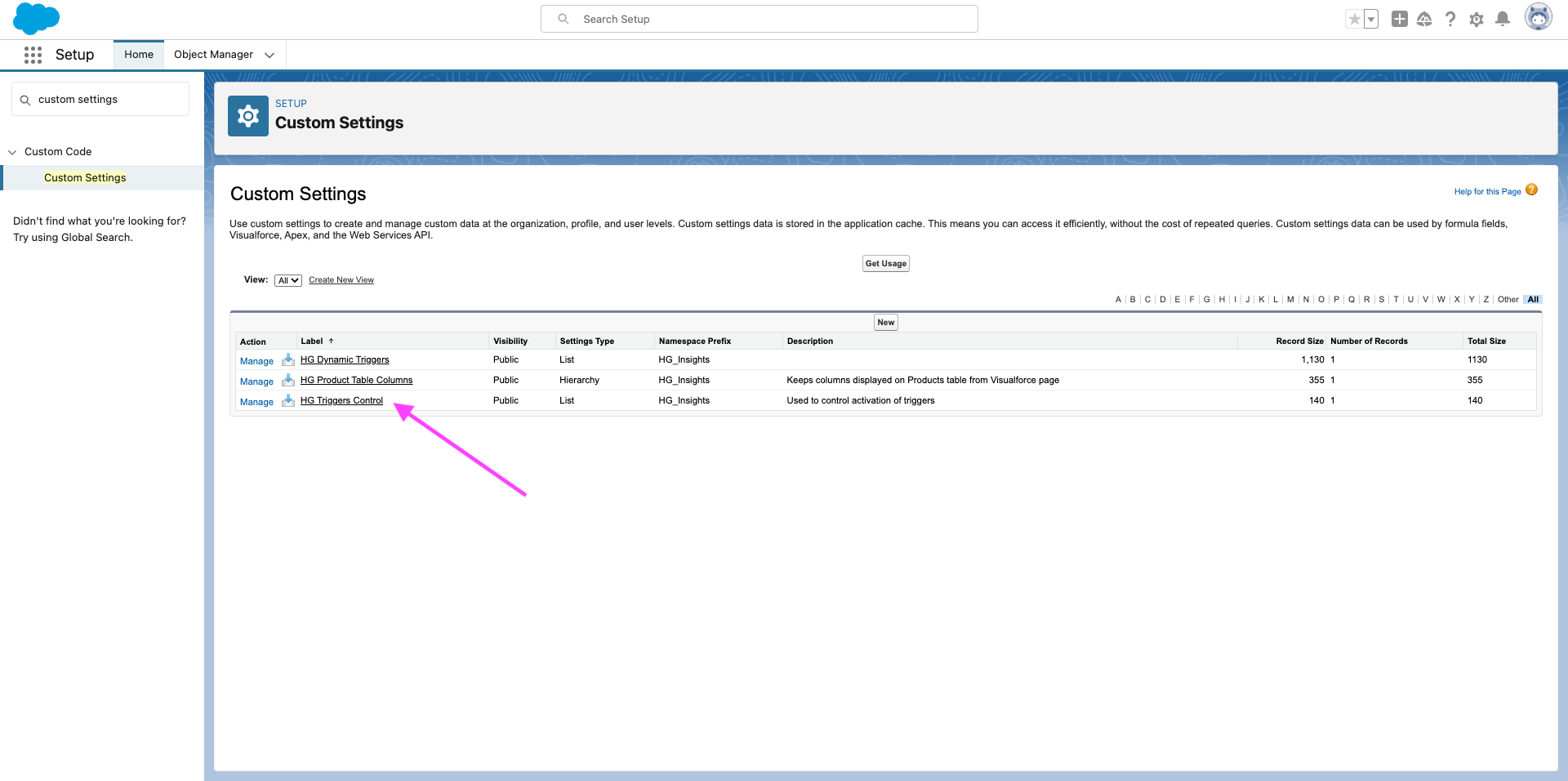
In settings, navigate to Custom Settings and select HG Trigger Control
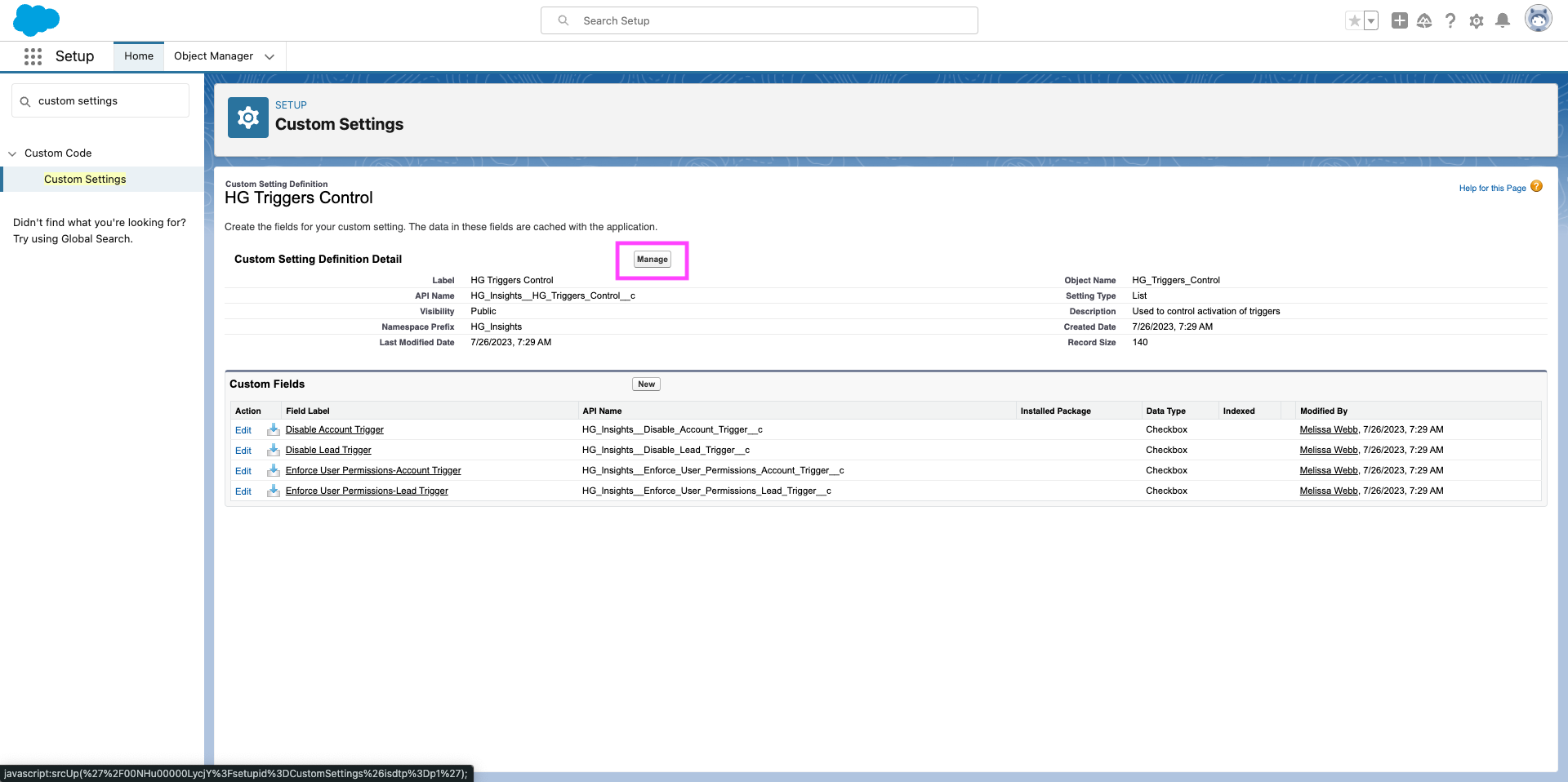
Select Manage
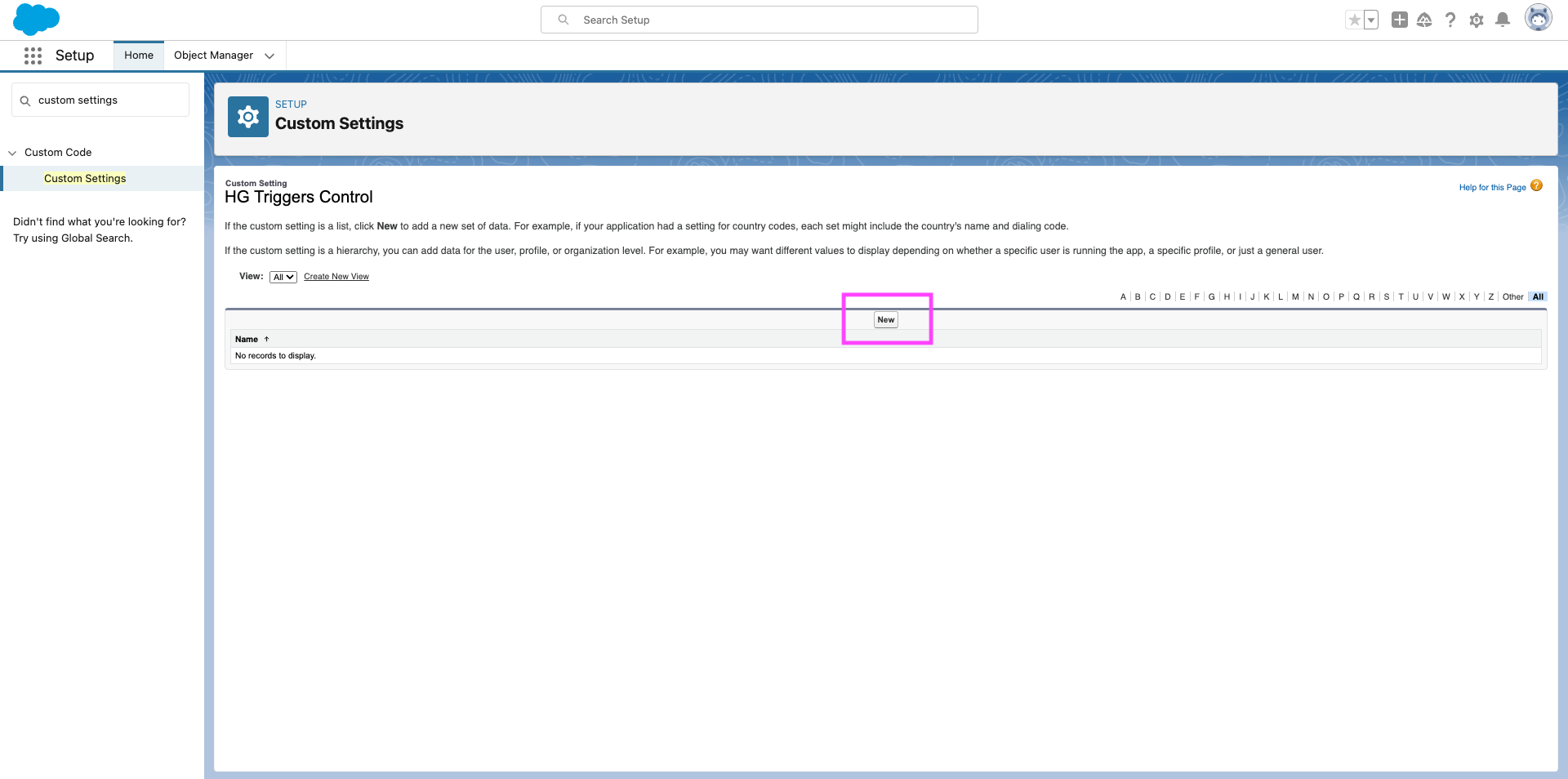
Select New
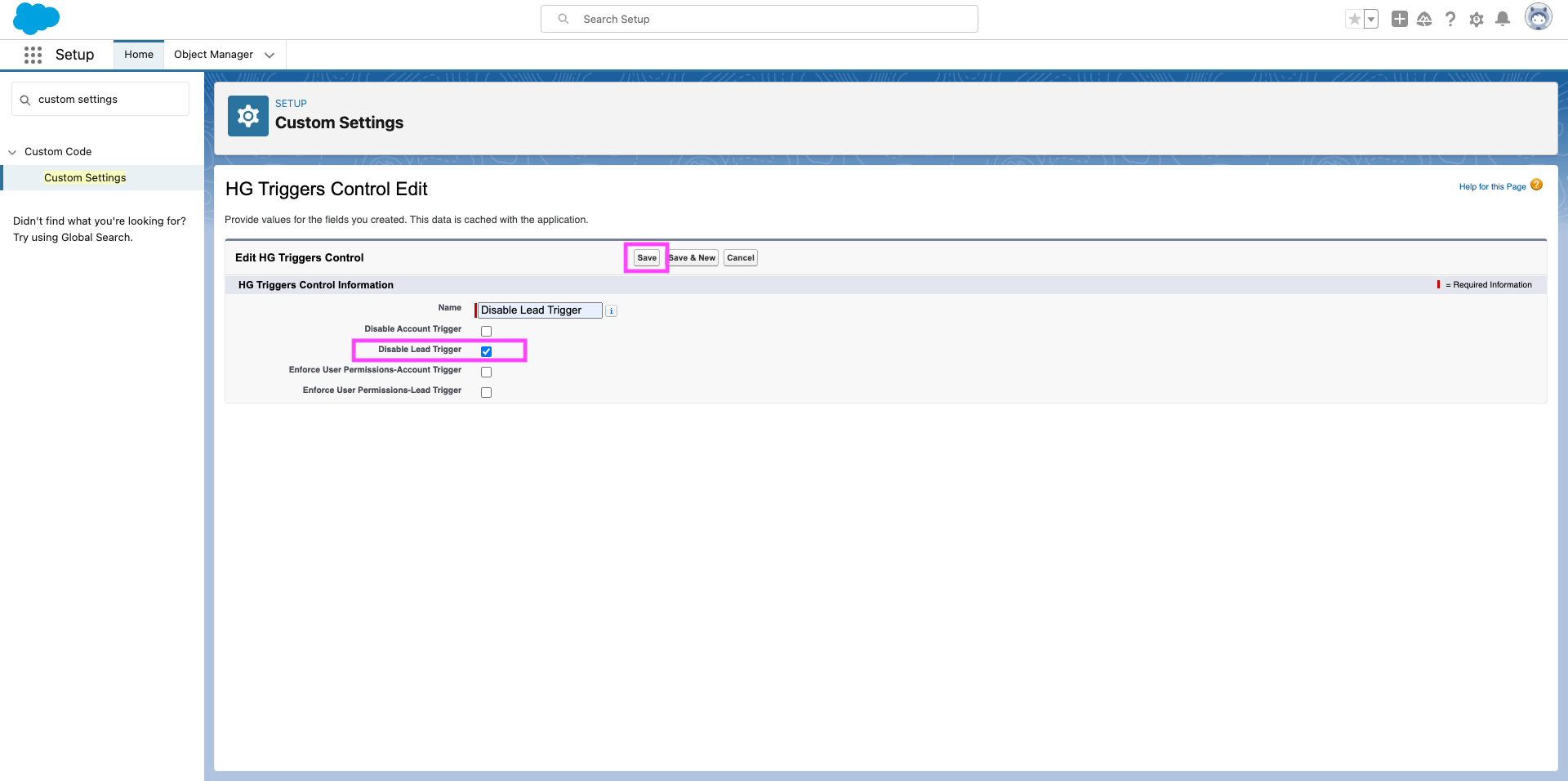
Indicate the triggers you would like to disable. In the example below, I am turning off the Lead Trigger only. When finished, click Save.