Using the Data Assessment Tool
Last updated: December 6, 2025
The Data Assessment tool for HG for Salesforce allows users to preview what the match rates will be for certain technologies for both Accounts and Leads.
To Run a Data Assessment
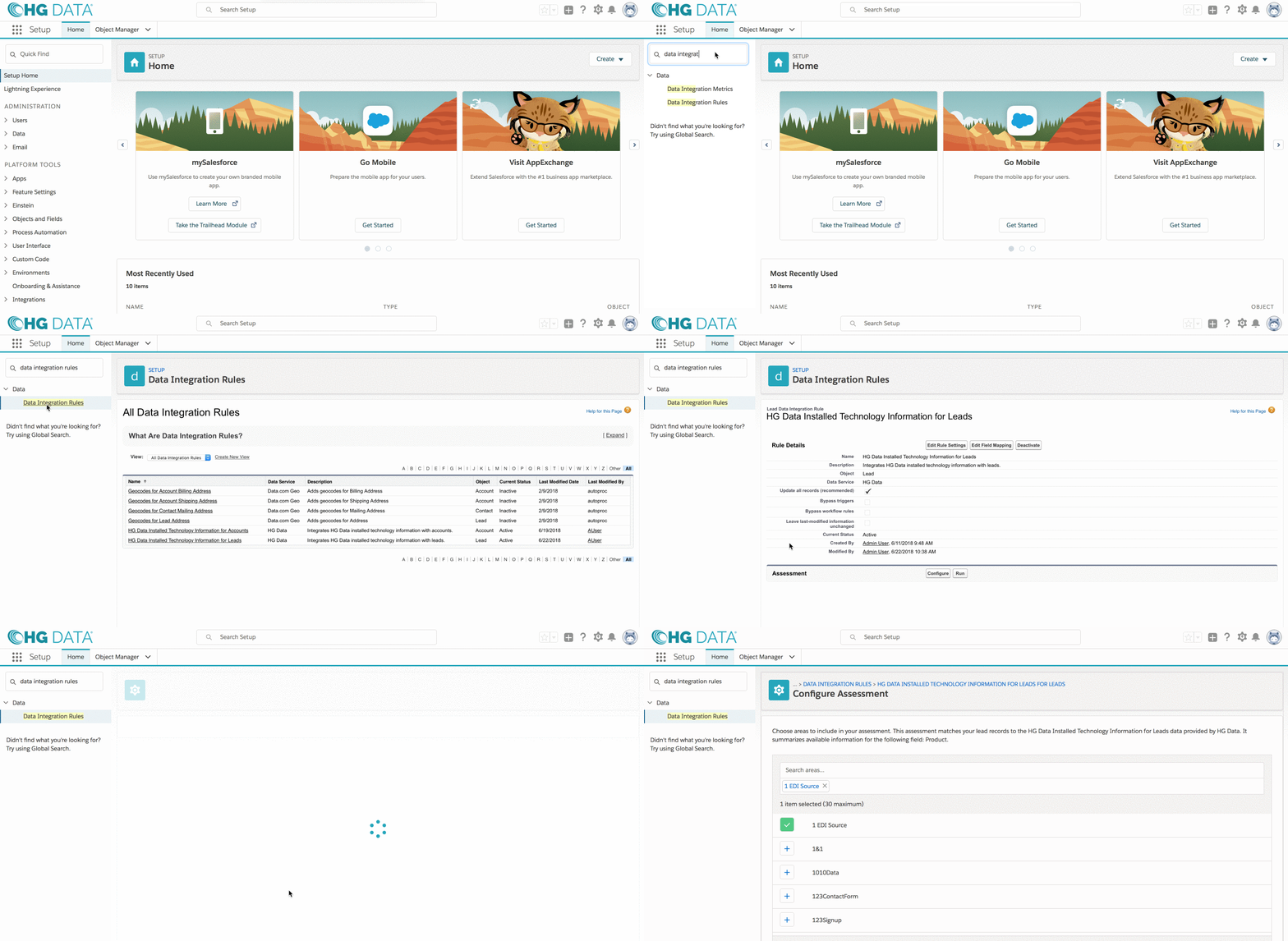
- From Setup, enter "Data Integration Rules" in the quick find box and select either HG Data Installed Technology Information for Accounts or HG Data Installed Technology Information for Leads depending on what object you would like to be assessed.
- Under the Assessment section, click Configure
View Larger
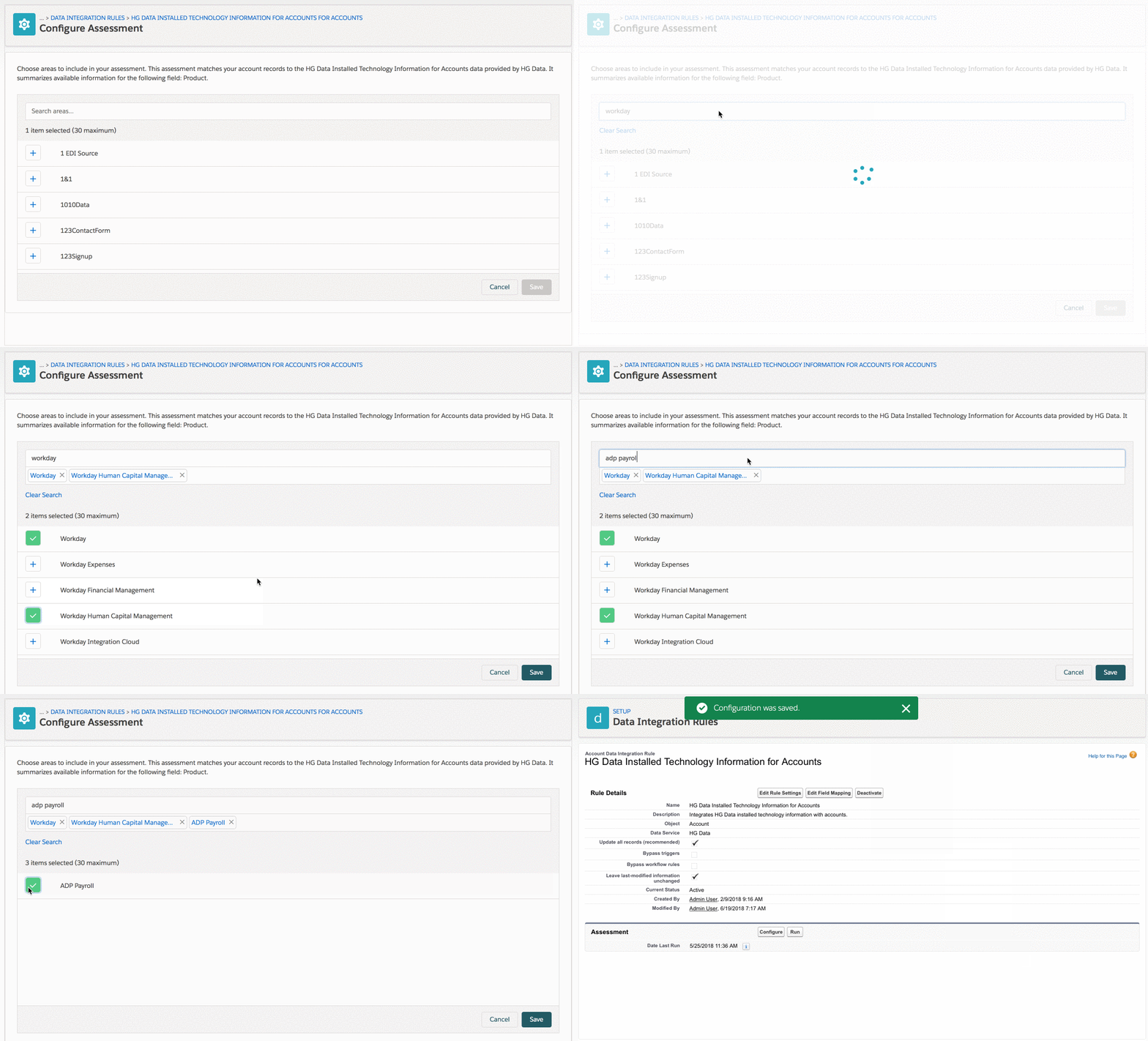
- Select up to 30 technologies that you would like to assess.
View Larger
- Click the Run button to start the Data Assessment. It may take a while for it to run, so you will receive an email when it is complete.

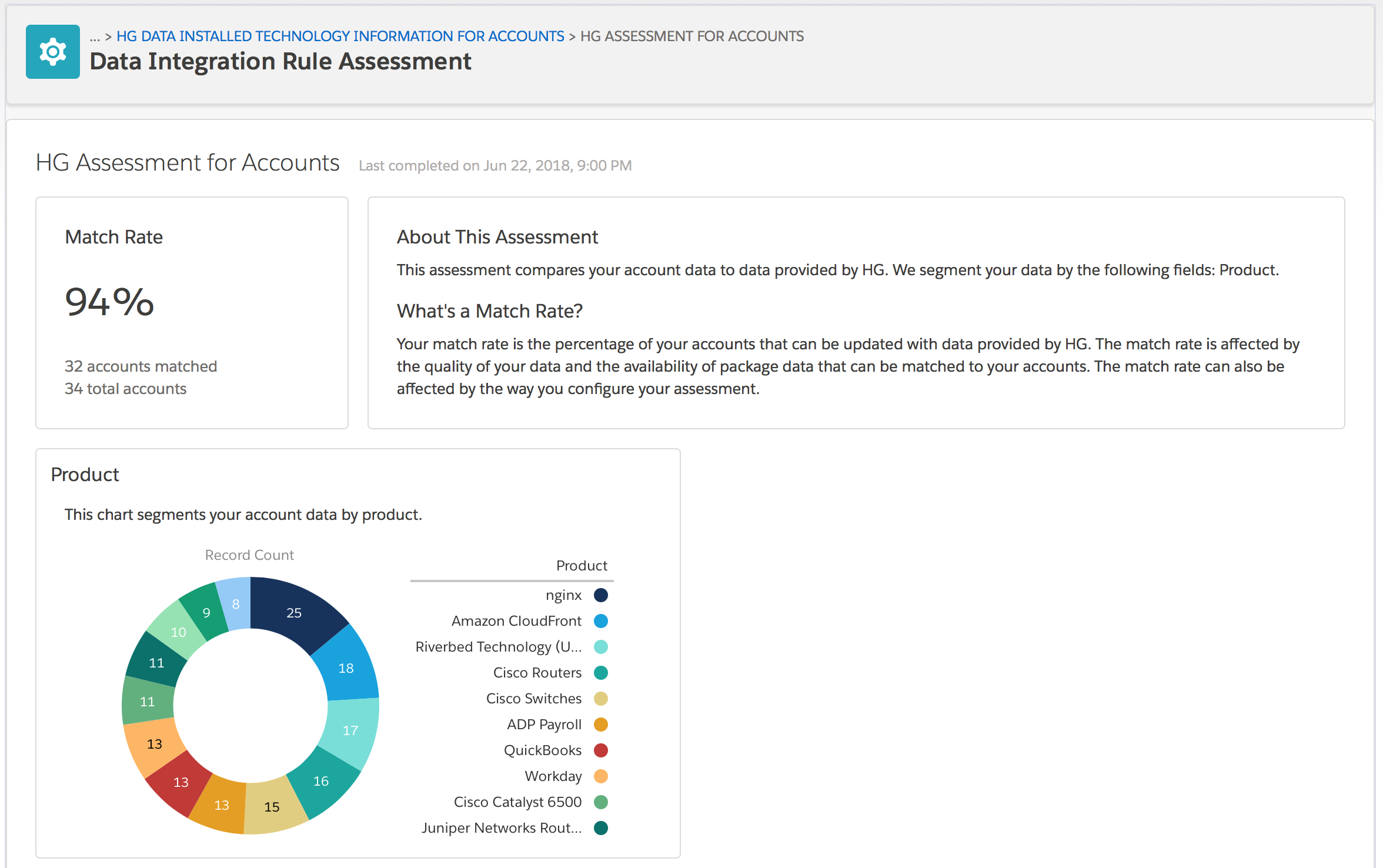
- Once the Data Assessment is complete, click the View button to see the results.
View Larger
The Match Rate will show the percentage of your accounts that HG was able to identify at least one of the selected products are in use. You will also be able to see a breakdown for each product.
Note: You can run up to 5 assessments on 30 products within 7 days.