Creating a Data Segment
Last updated: December 5, 2025
HG Discovery is a data portal to search for products tracked by HG Insights and create Data Segments.
The Discovery.hgdata.com page is the initial product page, and the first place to begin your search and create your segments.
Begin by searching a product to create a new segment
OR
Go to your Segments under your Profile at the top right of the page to return to segments you've previously created.
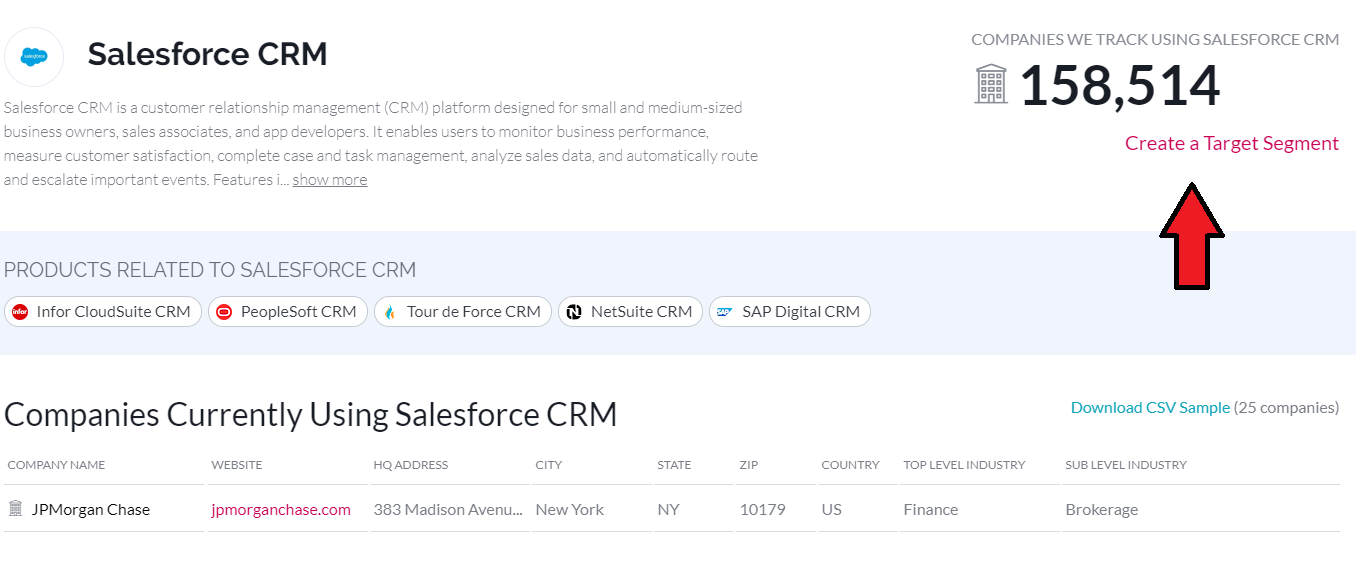
Begin your segment creation by Creating a New Target Segment
This will take you to the Segment Builder
In the Segment Builder, it's best practice to name your segment to reflect the project, version, or purpose of the segment.
When building a segment with more than one product, you can refine the segment to reflect companies using Any of the products, or All, for companies using both/all of the products within your segment.
The firmographic sliders allow you to refine the segment to include only companies that meet specific criteria.
As a default, the segment will include companies that do not have values for that respective field, but applying a filter automatically removes that selection, or you can remove those companies through the advanced panel.
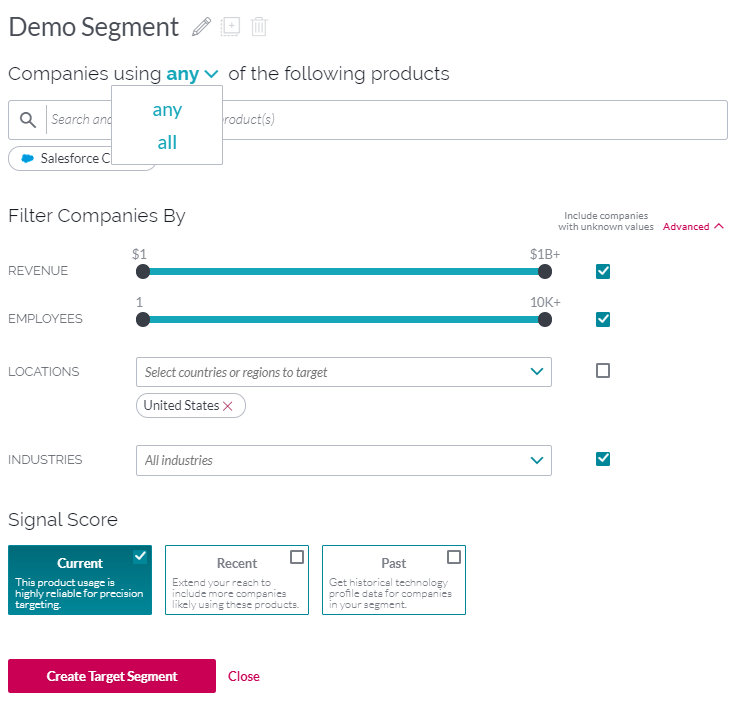
The Signal Scores are look-back periods for which we've seen products at companies.
Current reflect companies using products from present-day to 2.5 years ago.
Recent are installations we've seen from 2.5 years through 4.5 years ago.
Past is any install record that is older than 4.5 years old.
Once you have refined the segment to your requirements use Create Target Segment to save your segment.
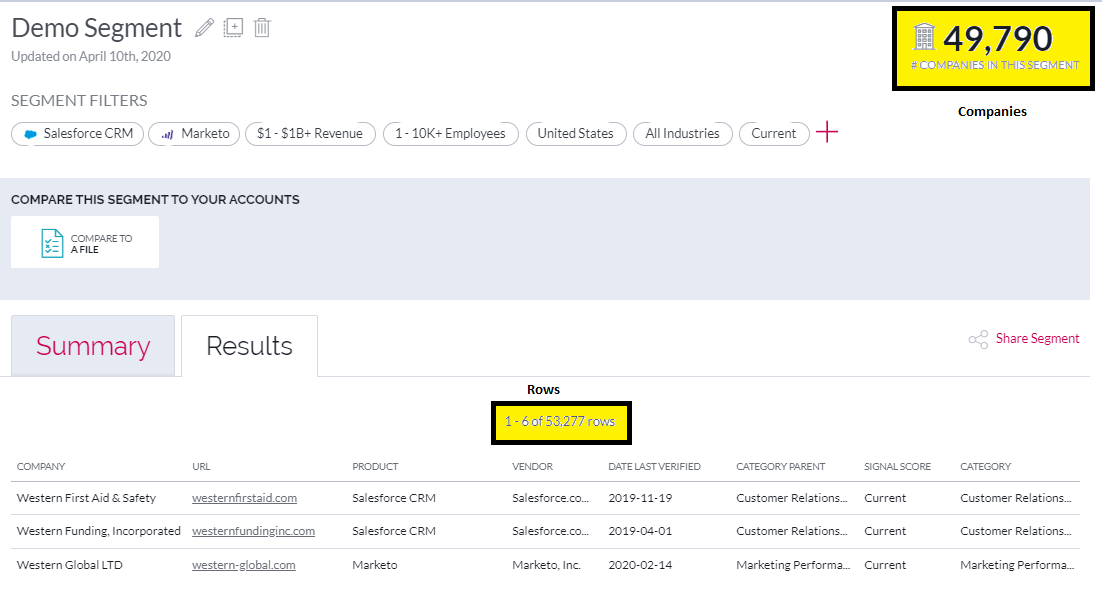
Creating your Target Segment will take you to the segment page, and summarize the scope of the segment.
The top right number reflects the total number of companies within your segment, while the Row count is the total number of data rows within your data segment.