Granting Account Login Access to HG Insights Support
Last updated: December 6, 2025
There are instances where you may need to extend login access to HG for support purposes, these steps guide that process.
To Grant Login Access:
-
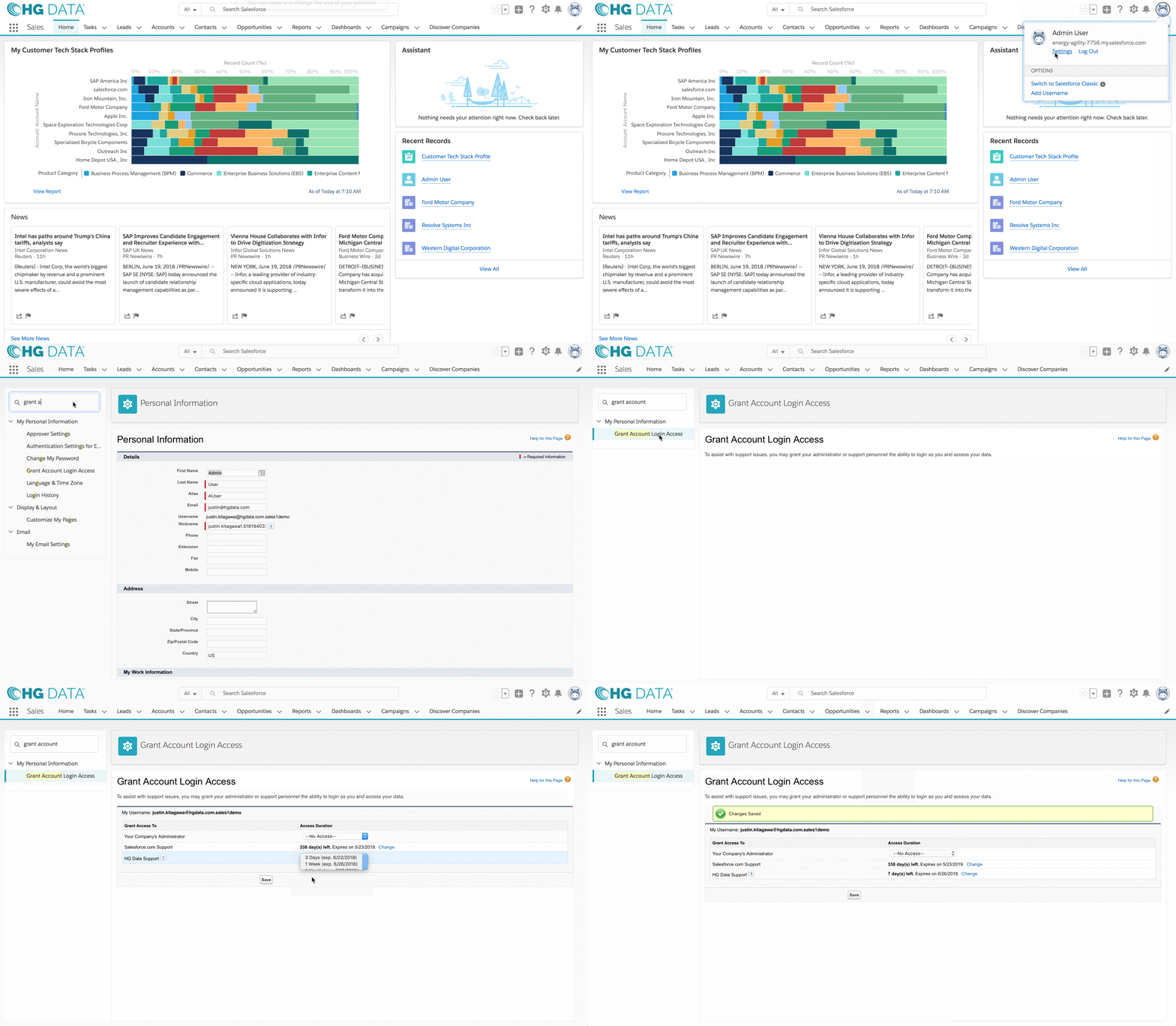
Go to My Settings and type “Grant” into the Quick Find box. Click on Grant Account Login Access.
-
Find the row for “HG Insights Support” and select the 1 Week for the Access Duration.
- Click Save.