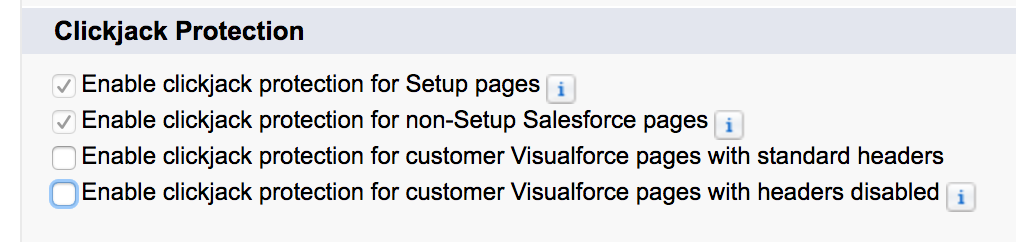
Visualforce incompatibility with clickjack protection
Last updated: December 5, 2025
A known issue rooted in the clickjack protection setting will cause a “URL No Longer Exists” error message on pages where a Visualforce page is placed and when the clickjack setting is enabled.
The Known Issue - No Fix page from Salesforce
https://success.salesforce.com/issues_view?id=a1p3A0000001CuIQAU&title=url-no-longer-exists-error-with-vf-pages-in-page-layouts-with-clickjack-enabled
The error displays as:
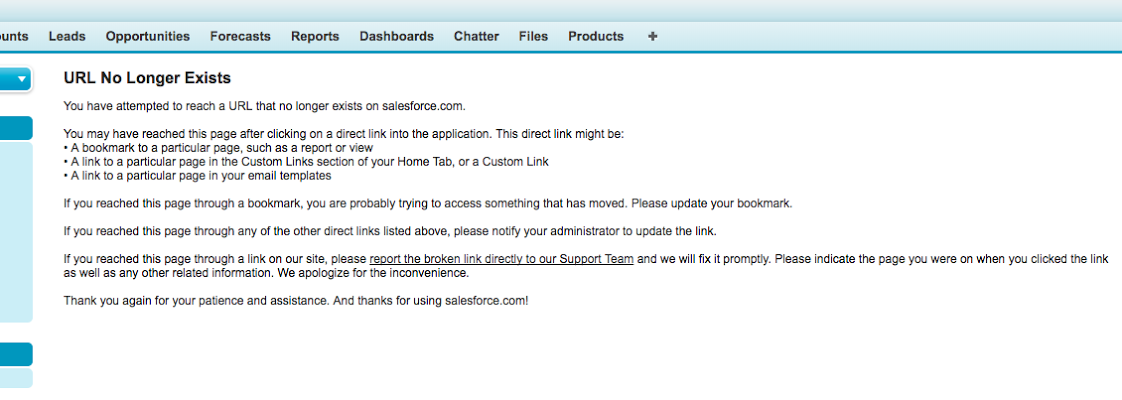
The workaround is to disable Clickjack Protection for Visualforce pages as suggested in the issue log would be to disable the Clickjack Protection.
To do so, in Salesforce go to Setup -> Security Controls -> Session Settings and uncheck the boxes for Clickjack Protection.