Installing the HG Insights Package for Salesforce
Last updated: August 20, 2026
The steps below explain how to install the HG for Salesforce package from the AppExchange into your production or sandbox org.
NOTES
💡There are two Salesforce packages for HG Insights currently:
CRM Enrichment package - This managed package enriches Salesforce Accounts and Leads with technographic, firmographic, and spend data via custom objects. This article caters to this package, installed in combination to our legacy HG platform: platform.hginsights.com. If you are connecting through our newest platform, RGIP (admin.hginsights.com), please head over to this article.
Sales Copilot & Scoring package (Since Q4 2025) - This package includes Visualforce pages, custom fields for Lead, Contact, and Account objects, and is unmanaged allowing edits after installation. If you're trying to install HG Insights Package for Sales Copilot or Data Studio scoring purposes, please head over to this article instead.
💡The steps below can also be followed if you want to update your package to the latest version. There is no need to uninstall then re-install the package.
STEP BY STEP
⚠ Before you begin, please confirm you have admin access to the org you would like to install the package into.
⚠ If you are installing the CRM Enrichment package to connect with our new platform, RGIP, please follow this newer article instead.
Click the "Get It Now" button.
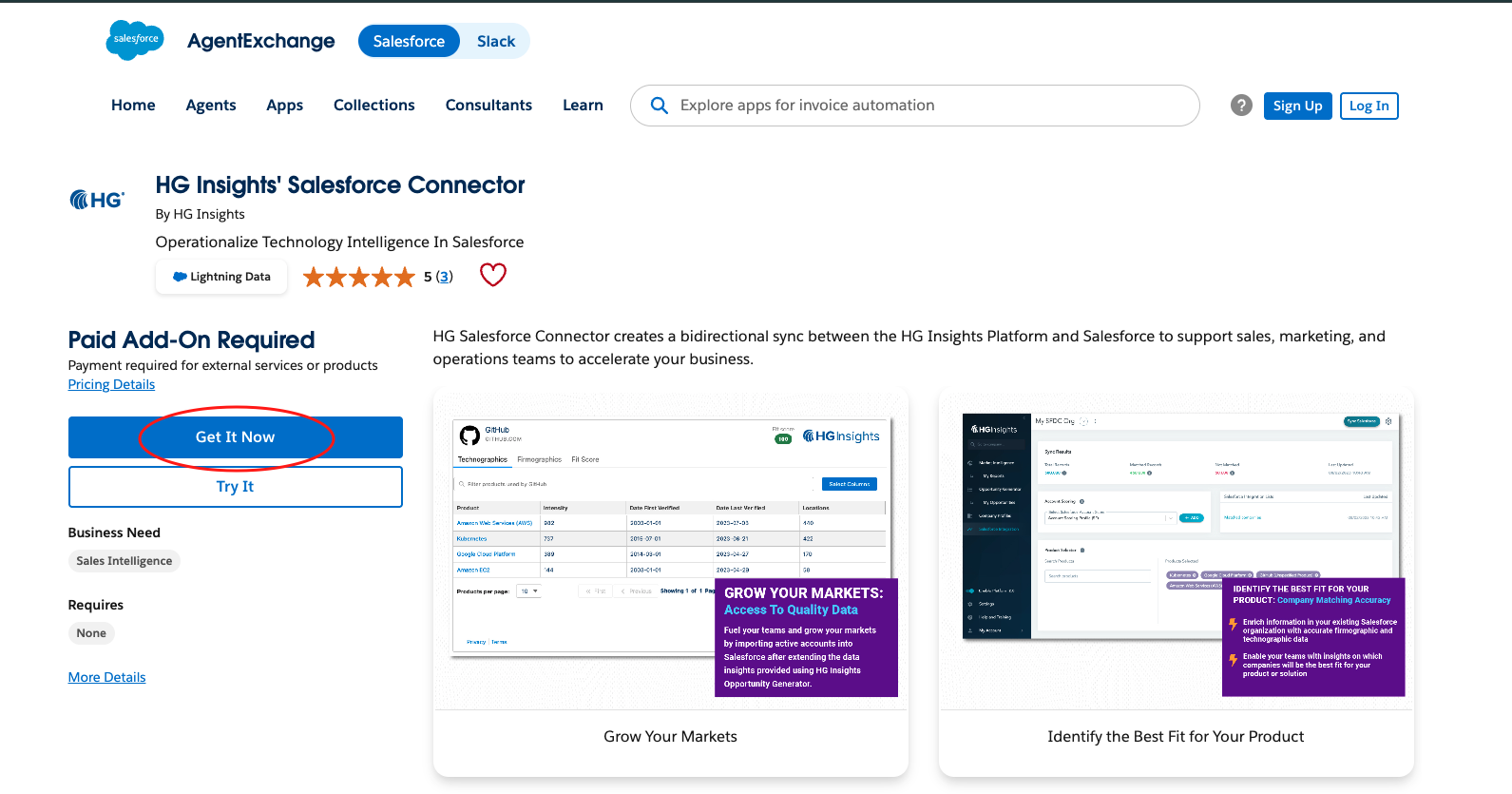
If you are not already logged in, log into the AppExchange using the credentials for the org where you would like HG for Salesforce installed.Note: We HIGHLY recommend providing access to all users as this simplifies the rollout to your team, but be sure to check with your administrator on how they would like the application to be rolled out.
Approve Third-Party Access
In order to ensure the correct filters and features are enabled, select the checkbox to grant access to permissions.hgdata.com.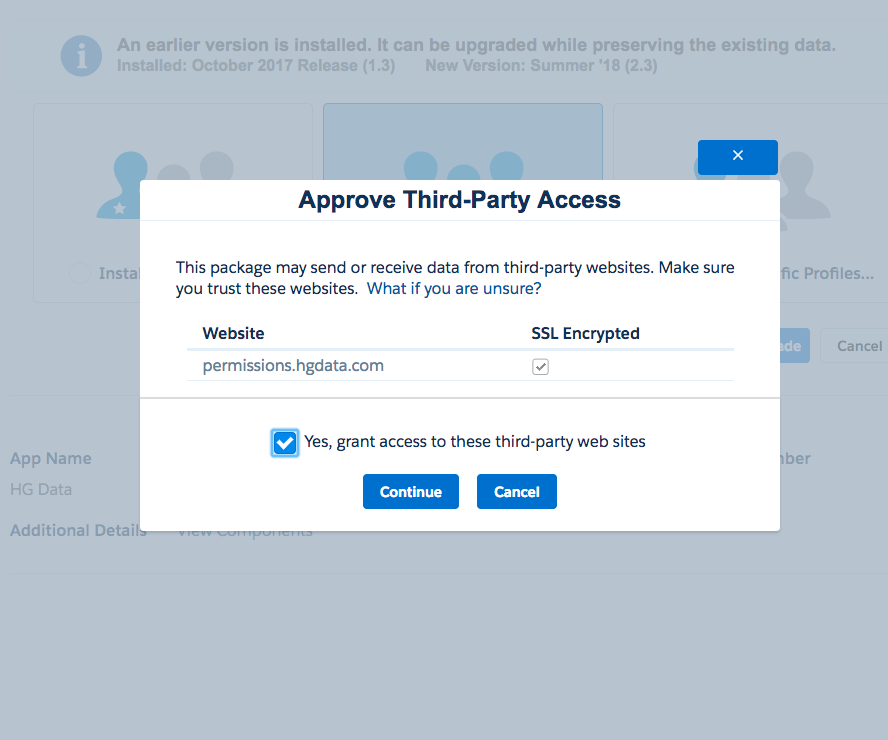
Once the package has finished installing you will see the app listed in the Installed Packages section of Salesforce.
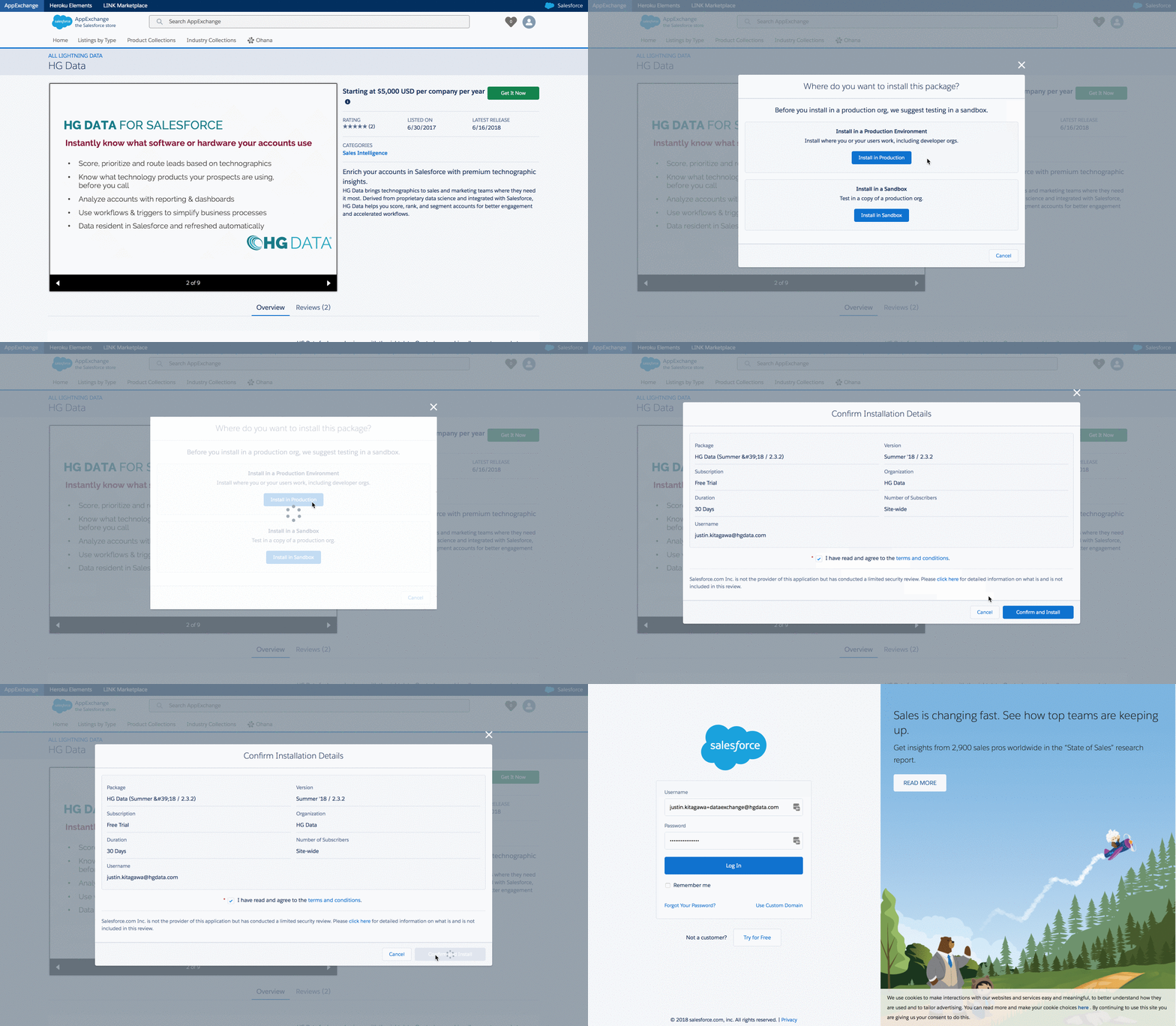
Viewing the Installed HG Package
After the installation you will see the newly installed package in Setup → Apps → Packaging → Installed Packages.
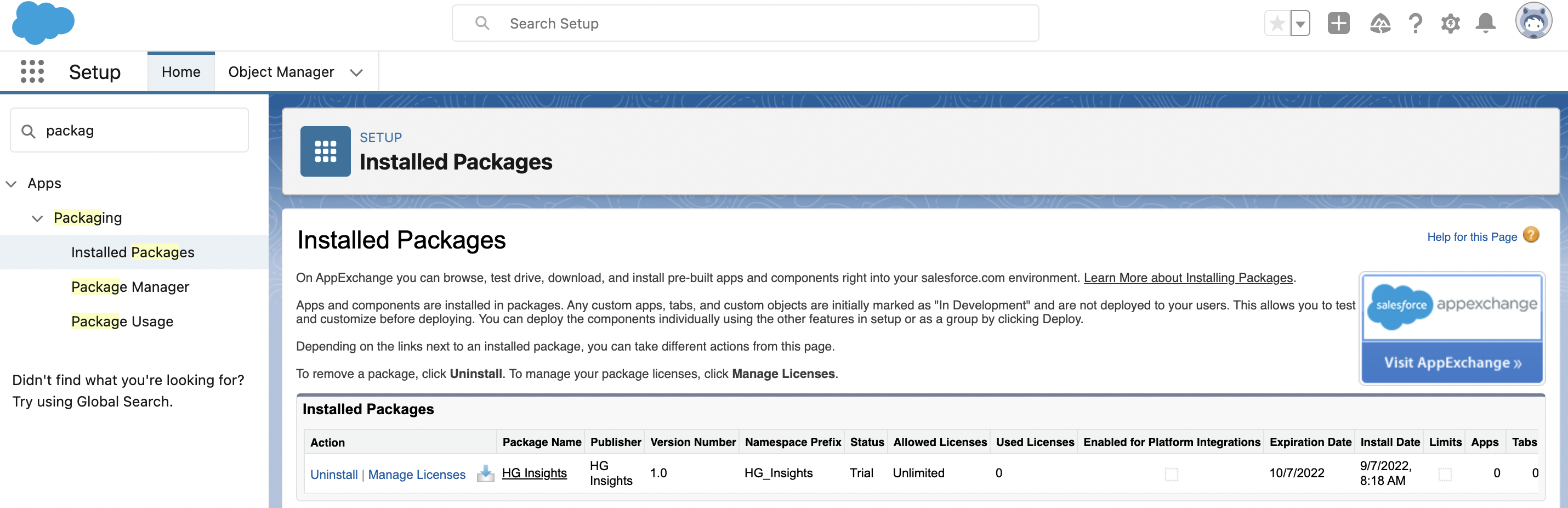
For more details on the package you can click the name to view the package detail page. This will include information like how many apps/tabs/objects were installed, components and dependencies.
Viewing the HG Objects
In the Object Manager you can see the new HG components installed. These objects are:
HG Technographic (HG_Insights__HGTechnographic__c)
HG Firmographic (HG_Insights__HGFirmographic__c)
HG IT Spend* (HG_Insights__HGITSpend__c)
*Please note - HG IT Spend is a placeholder object during development. This data is not yet available.
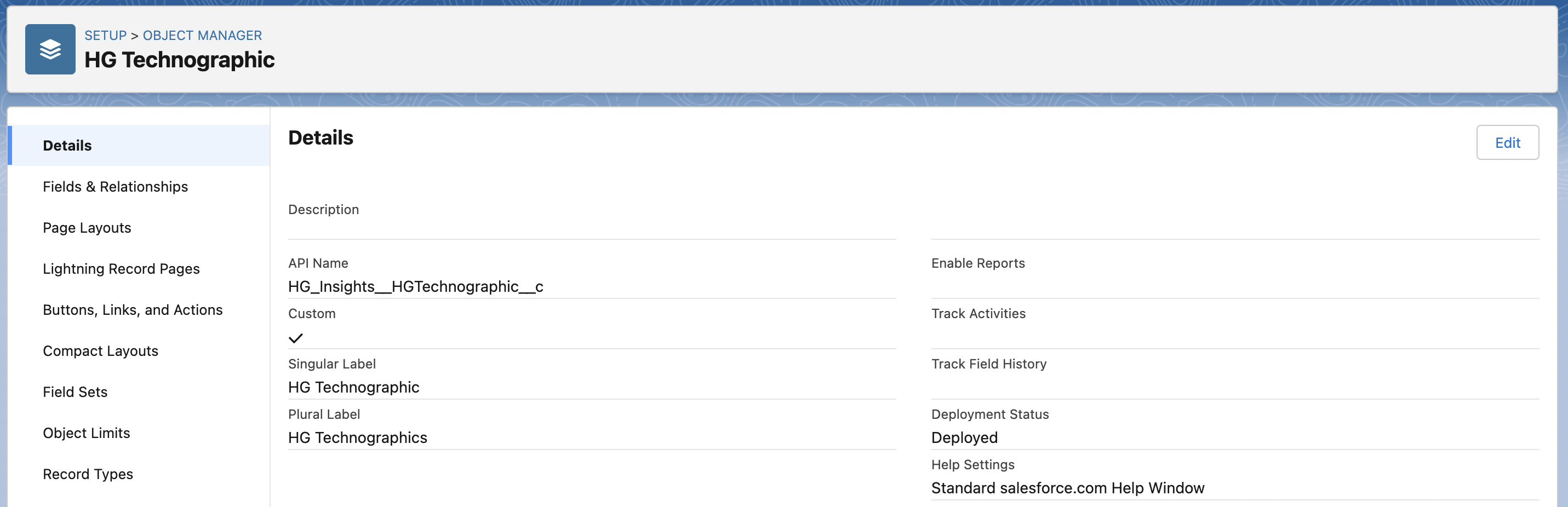
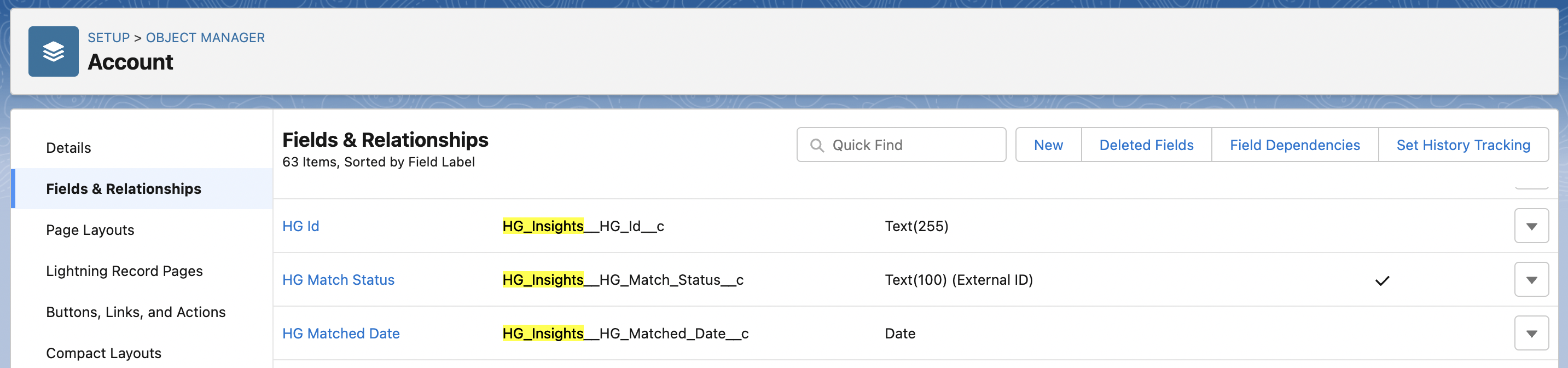
If you select the Account or Lead object, you will see the fields that were installed via the managed package between the other fields of the object and these will be prefixed with the HG_Insights__ namespace.
Next: Connecting Salesforce with HG Platform App
After the package is installed, before the HG Platform can start enriching data into the Salesforce organization, it needs to establish a connection between the two apps.
For this purpose, follow the steps outlined here.
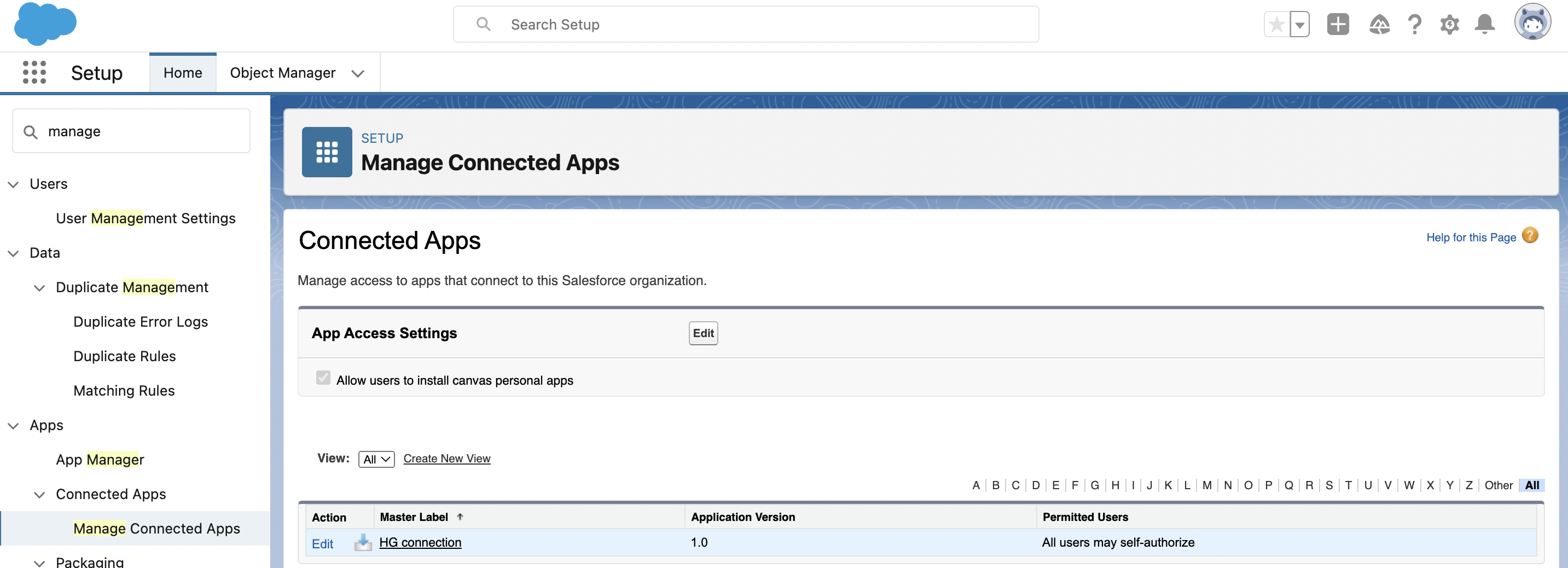
To see the details of this connected app go to Setup → Apps → App Manager → Manage Connected Apps → HG connection