Activating Dynamic Triggers Included in the Package - Routing Data to a Custom Field
Last updated: December 6, 2025
Package versions 1.6 and later include built in APEX triggers to help you take data from the HG objects, and populate your own custom fields on the Account or Lead object. If you don't activate these triggers, there will be no change to the function of your integration.
Below we describe the available functionality, and how to activate this trigger if needed.
Following the activation of triggers we recommend running a batch job. Details on this process can be found here: Running a Batch Job to Populate Custom Fields
Available APEX Trigger Functionality
All triggers are available for custom fields on either the Account and Lead objects.
Firmographics
Send data from an HG Firmographic field directly to a target custom field. Available for the following options:
| Field Label | Field Name | Type |
| City | HG_Insights__City__c | Text(255) |
| Company | HG_Insights__Company__c | Text(255) |
| Country | HG_Insights__Country__c | Text(255) |
| Corporate Parent Company | HG_Insights__Corporate_Parent_Company__c | Text(255) |
| Corporate Parent HG Company ID | HG_Insights__Corporate_Parent_HG_Company_ID__c | Text(255) |
| Domestic Parent Company | HG_Insights__Domestic_Parent_Company__c | Text(255) |
| Domestic Parent HG Company ID | HG_Insights__Domestic_Parent_HG_Company_ID__c | Text(255) |
| Country (ISO) | HG_Insights__Country_ISO__c | Text(255) |
| Employee Count | HG_Insights__EmployeesCount__c | Number(18, 0) |
| Employees Range | HG_Insights__EmployeesRange__c | Text(255) |
| Global HQ City | HG_Insights__Global_HQ_City__c | Text(255) |
| Global HQ Company | HG_Insights__Global_HQ_Company__c | Text(255) |
| Global HQ Country | HG_Insights__Global_HQ_Country__c | Text(255) |
| Global HQ Country (ISO) | HG_Insights__Global_HQ_Country_ISO__c | Text(255) |
| Global HQ Employee Count | HG_Insights__Global_HQ_Employee_Count__c | Number(18, 0) |
| Global HQ Employee Range | HG_Insights__Global_HQ_Employee_Range__c | Text(255) |
| Global HQ HG Company ID | HG_Insights__Global_HQ_HG_Company_ID__c | Text(255) |
| Global HQ NAICS Code | HG_Insights__Global_HQ_NAICS_Code__c | Text(255) |
| Global HQ NAICS Industry | HG_Insights__Global_HQ_NAICS_Industry__c | Text(255) |
| Global HQ Revenue Count | HG_Insights__Global_HQ_Revenue_Count__c | Number(18, 0) |
| Global HQ Revenue Range | HG_Insights__Global_HQ_Revenue_Range__c | Text(255) |
| Global HQ SIC Codes | HG_Insights__Global_HQ_SIC_Codes__c | Text(255) |
| Global HQ SIC Industries | HG_Insights__Global_HQ_SIC_Industries__c | Text(255) |
| Global HQ State | HG_Insights__Global_HQ_State__c | Text(255) |
| Global HQ Sub-Industry | HG_Insights__Global_HQ_State__c | Text(255) |
| Global HQ URL | HG_Insights__Global_HQ_URL__c | Text(255) |
| Headquarters State | HG_Insights__State__c | Text(255) |
| HG Force Id | HG_Insights__HGForceId__c | Text(255) (External ID) (Unique Case Sensitive) |
| HGId | HG_Insights__HGId__c | Text(255) |
|
Hierarchy Tier |
HG_Insights__Hierarchy_Tier__c | Text(255) |
| NAICS Code | HG_Insights__NAICS_Code__c | Text(255) |
| NAICS Industry | HG_Insights__NAICS_Industry__c | Text(255) |
| Revenue Count | HG_Insights__RevenueCount__c | Currency(18, 0) |
| Revenue Range | HG_Insights__RevenueRange__c | Text(255) |
| SIC Codes | HG_Insights__SIC_Codes__c | Text(255) |
| SIC Industries | HG_Insights__SIC_Industries__c | Text(255) |
| Sub-Industry | HG_Insights__SubLevelIndustry__c | Text(255) |
| URL | HG_Insights__URL__c | URL(255) |
Technographics
Combine all detected products (of the ones you've selected) for a company into a single custom field. Products will appear separated with a semicolon. This trigger only applies to the following field:
| Field Label | Field Name | Type |
| Product | HG_Insights__Product__c | Text(255) |
IT Spend (1.10 & Later)
Send data from a HG IT Spend field directly to a target custom field.
Available for the following options:
| Field Label | Field Name | Type |
| Spend Category Amount | HG_Insights__Spend_Category_Amount__c | Currency(14, 2) |
| Spend Category Name | HG_Insights__SpendDetailSpendCatName__c | Text(255) |
For this option we highly recommend leveraging out conditional fields and Rollup Operation for a 1:1 move. In the example below, I'm specifically seeking to move specifically the Total External IT category value to a custom field I created.
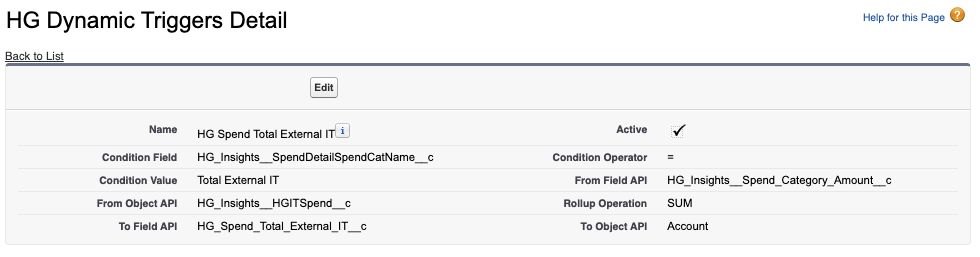
Additional Configurations - Condition Operator and Rollup Operations (1.10 & Later)
These components give you a little more flexibility when it comes to the output of your trigger. If left blank, the default behavior is a concatenation - but the following options are available to you:
- Condition Operator:
- =
- !=
- >
- >=
- IN
- CONTAINS
- CONTAINSIGNORECASE
- Rollup Operation:
- SUM
- COUNT
Activating an APEX Trigger
These triggers are meant to be helpful additions to the package to avoid the need to build custom code in some common cases of rerouting data. If you don't activate these triggers, there will be no change to the function of your integration.
Before activation, you'll need to make sure a target custom field has been created. This field must be of the exact same type as the HG source field, including max number of characters allowed.
1. In Setup, navigate to the Custom Setting page.
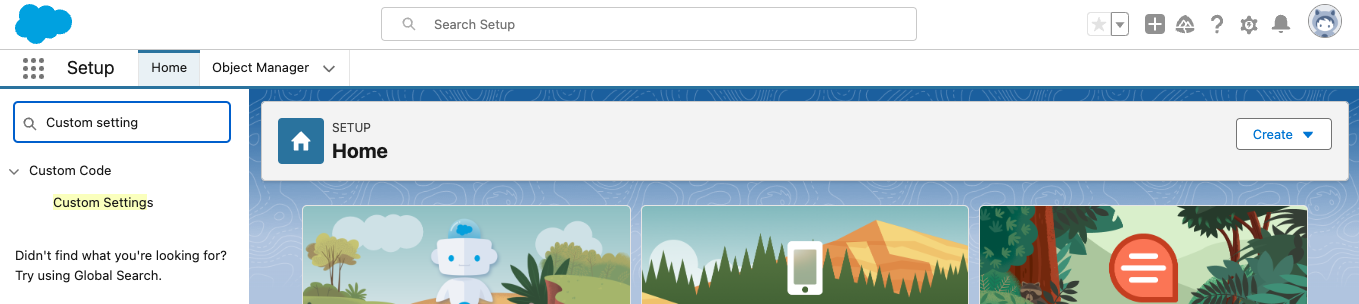
2. Select the option named HG Dynamic Triggers
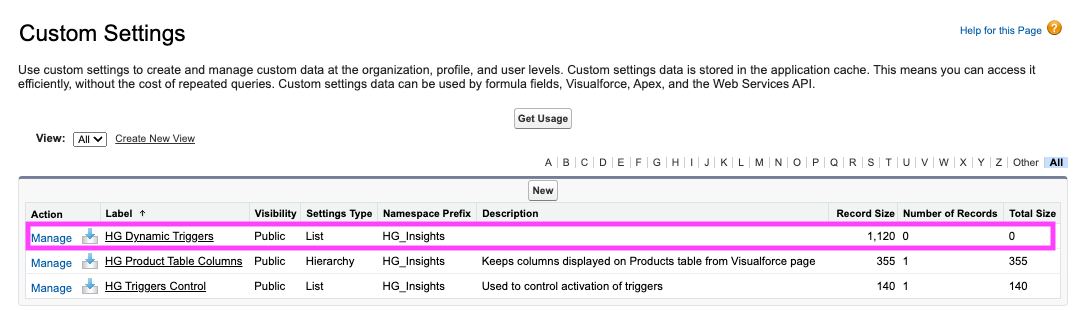
3. Select Manage
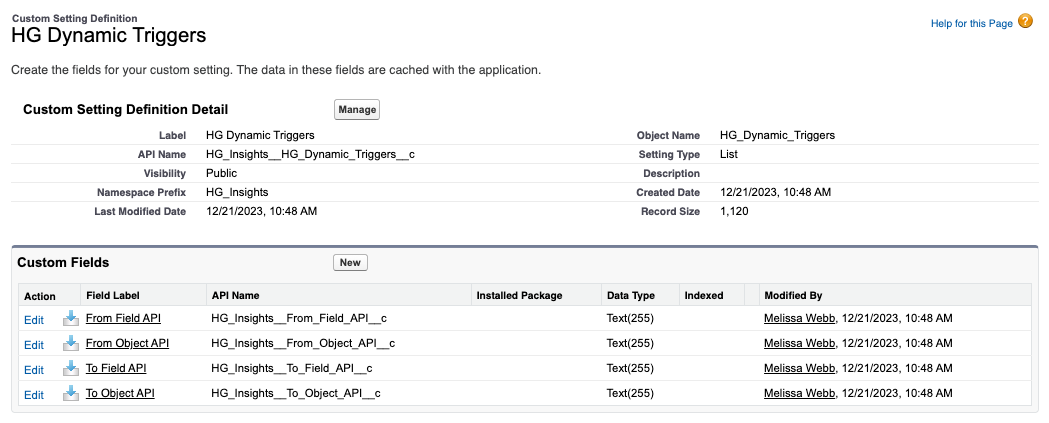
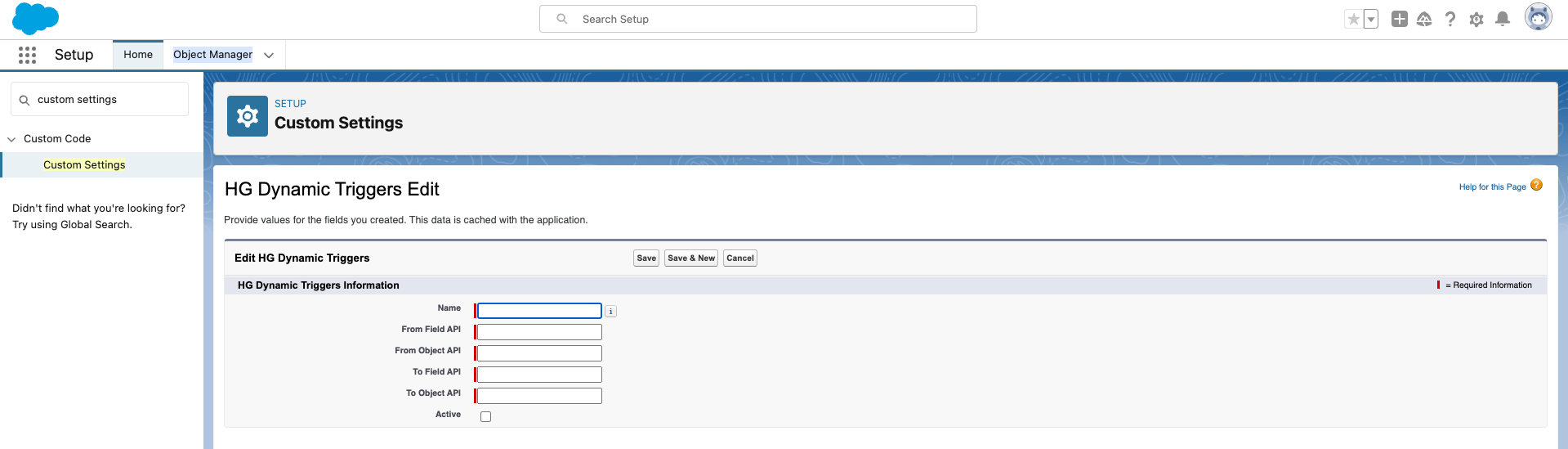
4. Select New, and provide information on both the source Object and Field (HG) and the destination Object and Field. You'll want to make sure to activate the trigger, and if you ever need to deactivate for any reason you can disable it here.
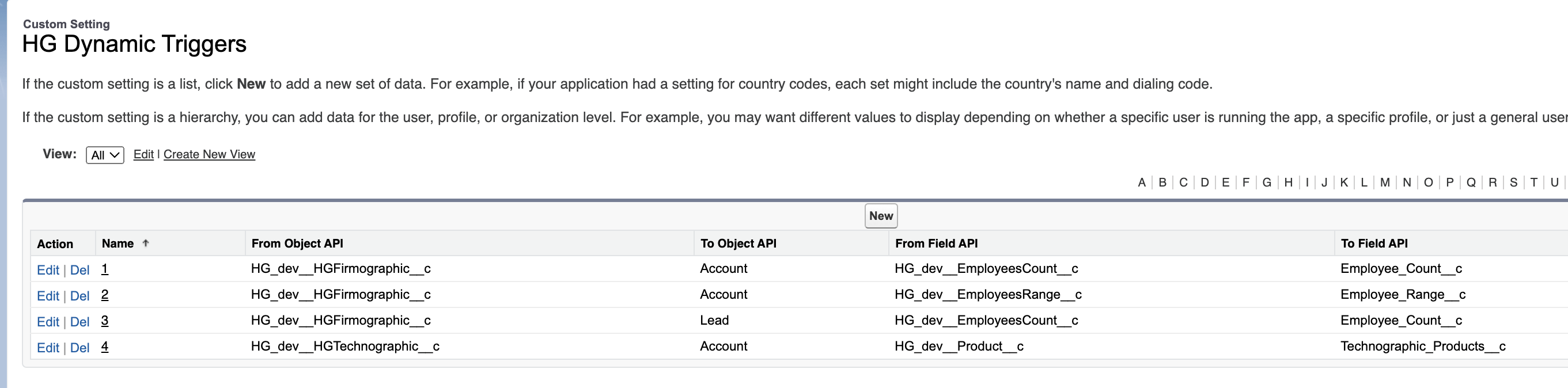
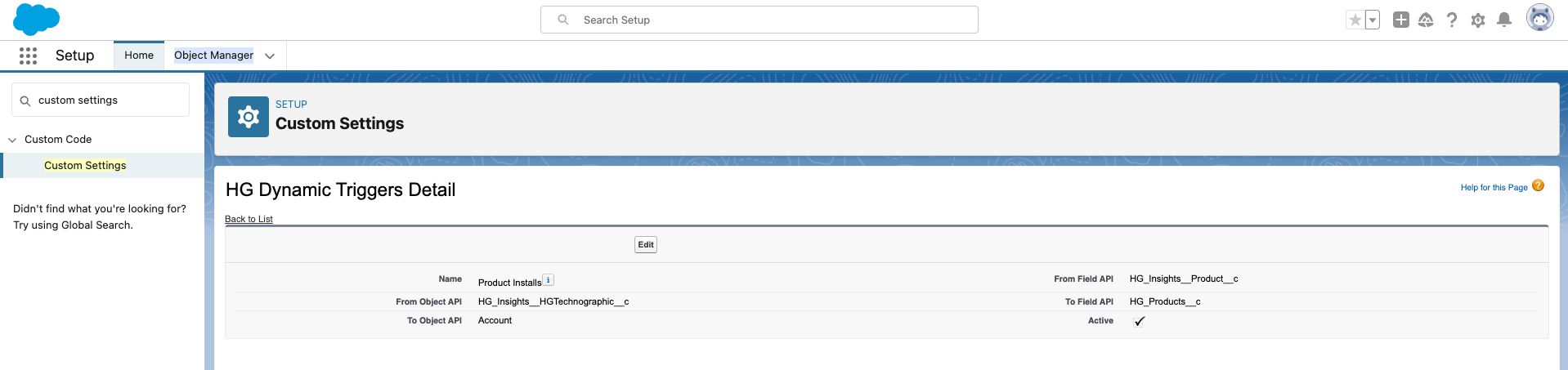
Here's an example of this page populated:
Following the activation of triggers we recommend running a batch job. Details on this process can be found here: Running a Batch Job to Populate Custom Fields