Referenced Data in Matching & Enrichment
Last updated: December 5, 2025
Matching Functionality
To match your records with HG companies, the following fields are referenced:
- For Account records:
- Name
- Website
- OPTIONAL Billing Country OR Shipping Country
- OPTIONAL (Customer Managed) HG ID**
- For Lead records:
- Company
- Website
- OPTIONAL Country
- OPTIONAL (Customer Managed) HG ID**
Name, Company, and Website are fields that should already be present on your Account and/or Lead records. These fields are only referenced in matching, we will never make any changes to these fields.
HG ID does not user a standard field, and requires additional configuration to enable.
During matching, we don't store any record information and do not look into any other objects in the Salesforce instance. The only information that is stored is the mapping of those records back to HG Companies.
Similarly, while enriching the only objects that are changed are those belonging to the installed HG managed package. The HG integration will never update another field that is not ours.
Adding HG ID as a Matching Input
In versions 1.11 and higher, we've added the optional ability to include an HG ID field in matching. This field is created in your organization by you, just like any other custom field you might add.
Whether you have complex hierarchies, have an existing CRM HG ID you want to reference, or are simply looking for a more direct matching method for QA, this feature can help tailor the integration to your business needs.
A few things are important in adding this field:
- The integration user must have the permissions to minimally read this field
- The Field Name must exactly match the specifications detailed below
- The HG ID field must be created in Salesforce before the feature is enabled in the HG Platform.
Adding the Field
The integration has certain triggers that watch for changes in the fields we use for matching. These triggers will remove our data from the record in the event of a change to ensure that we rematch during your next sync.
In version 1.11 we've added triggers that work with a custom HG ID field but the field must match the following. This is important both for the trigger behvaior, and to help you differ from the integration managed HG ID fields.
| Field Label | Field Name | Type |
| Defined by you! | HGInsights_CustomerManaged_HGID__c | Text(255) |
This Field Label can be defined by you - but the Field Name must match exactly. Remember that the '__c' is automatically included by Salesforce when creating your field (so you don't need to actively include it).
This same field naming applies to both Accounts and/or Leads. If you are enriching both objects you must add this field in both locations.
Enabling in the HG Platform
After you add the field, you can enable this feature in the HG Platform. You can do this via the gear in the top right corner.
If you're upgrading from an older package version you may need to run a sync after upgrading to get access to this feature.
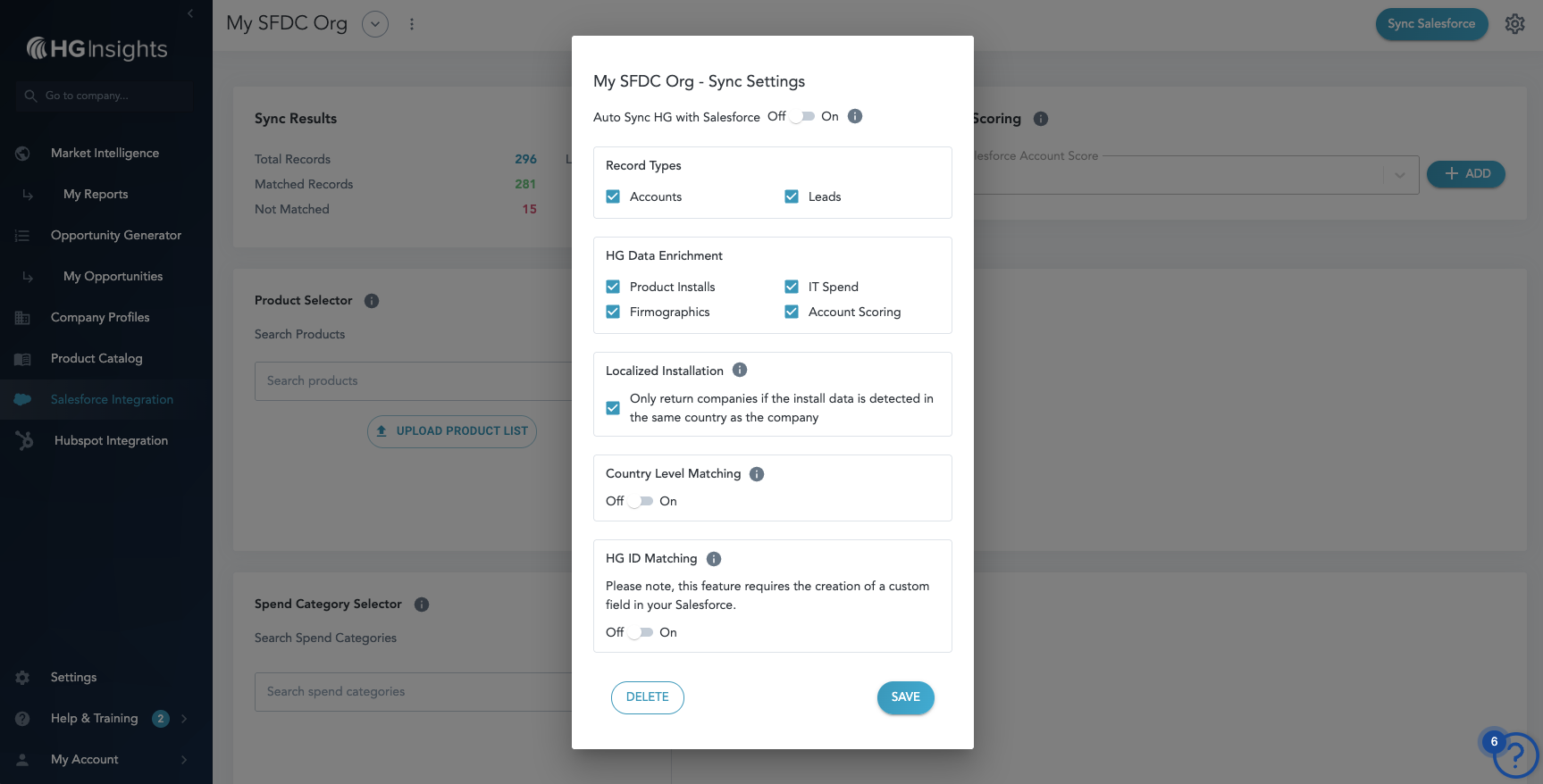
Change the toggle to ON and click Save. The system will check to make sure we have access to the custom field(s) and will show an error toast if something goes wrong.

If this happens, you can troubleshoot by confirming:
- Does the field have the right Field Name?
- Was the field created on all the required Objects?
- Does the integration user have permissions for the field?
Feature Details
- After the feature is enabled, the integration will rematch on the next sync to make sure that HG ID is incorporated into the matching logic.
- This rematch will also happen if you later choose to disable the feature
- Any updates to values in a custom HG ID field will trigger the removal of HG data from the record, allowing us to update the match in the next sync.
- The integration will never change the contents of the custom HG ID field - this one is completely owned by you, but make sure you're not mixing it up with the integration managed fields!