Ongoing Enhancements
Last updated: December 6, 2025
HG is always working to augment and advance our products and solutions. You can find notes on these optimizations below.
March 18, 2025
Salesforce Connector for Your Whole Team
Your Salesforce integration is now configured by the organization, not the individual admin, so multiple team members can easily share ownership of your Salesforce connection.
One user will still be responsible for connecting the integration, but now you can have additional teammates help with integration management and responsibility, meaning less friction and easier access for everyone.
Even more, if your Salesforce admin changes and another member of your team isn't assigned, there won't be any change to your connection—the integration will still run smoothly.
If you would like to add additional team members to your Salesforce integration, please reach out to your CSM!
August 1, 2024
Apply Localized Installs to Scoring Profiles
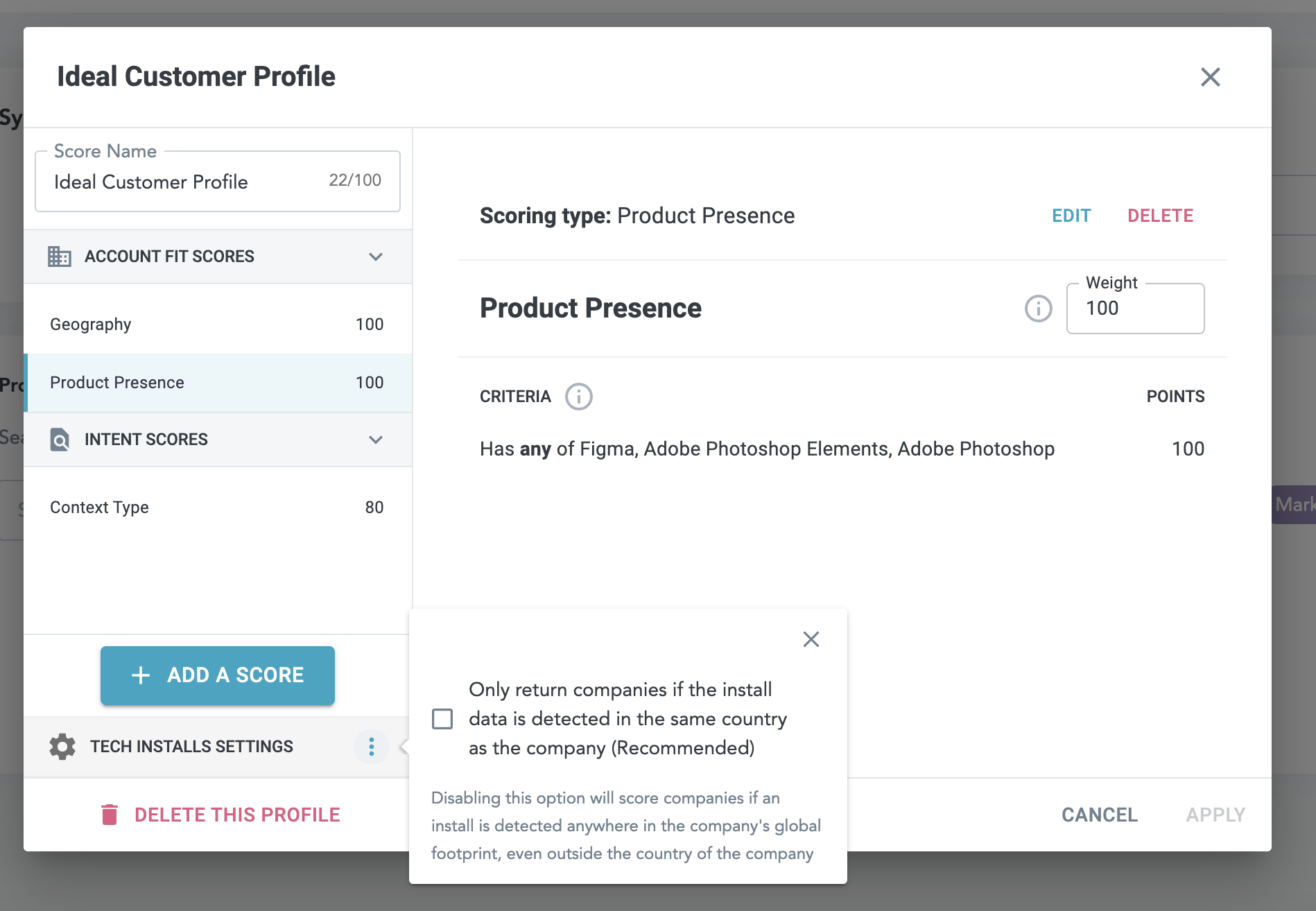
To match your ability to localize install detections in your Salesforce integration, you can also apply localized installs to the scoring profile you sync with Salesforce. This means we will weight installs in your scoring only if they apply to the matched company geographically.
You can turn on localized installs for your scoring profile by clicking the kebab menu Tech Installs Settings from the scoring configuration pop-up. If you have Localized Installs applied to your Salesforce Connector settings, we highly recommend also applying localized installs to your scoring profile!
July 26, 2024
Salesforce Error Logs Now Visible in Salesforce Connector
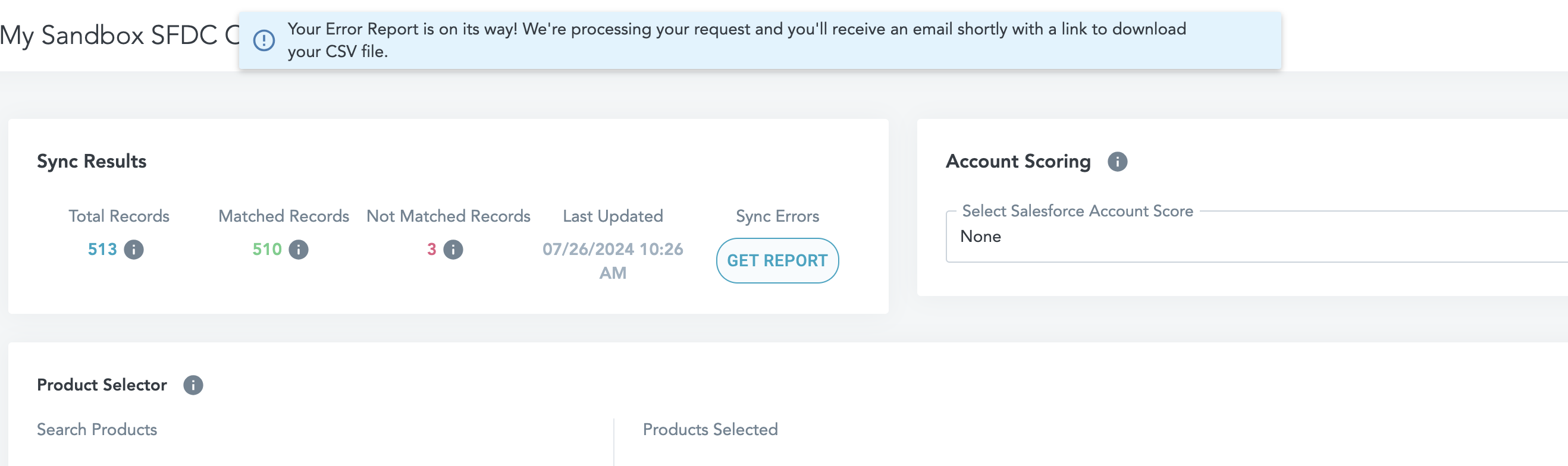
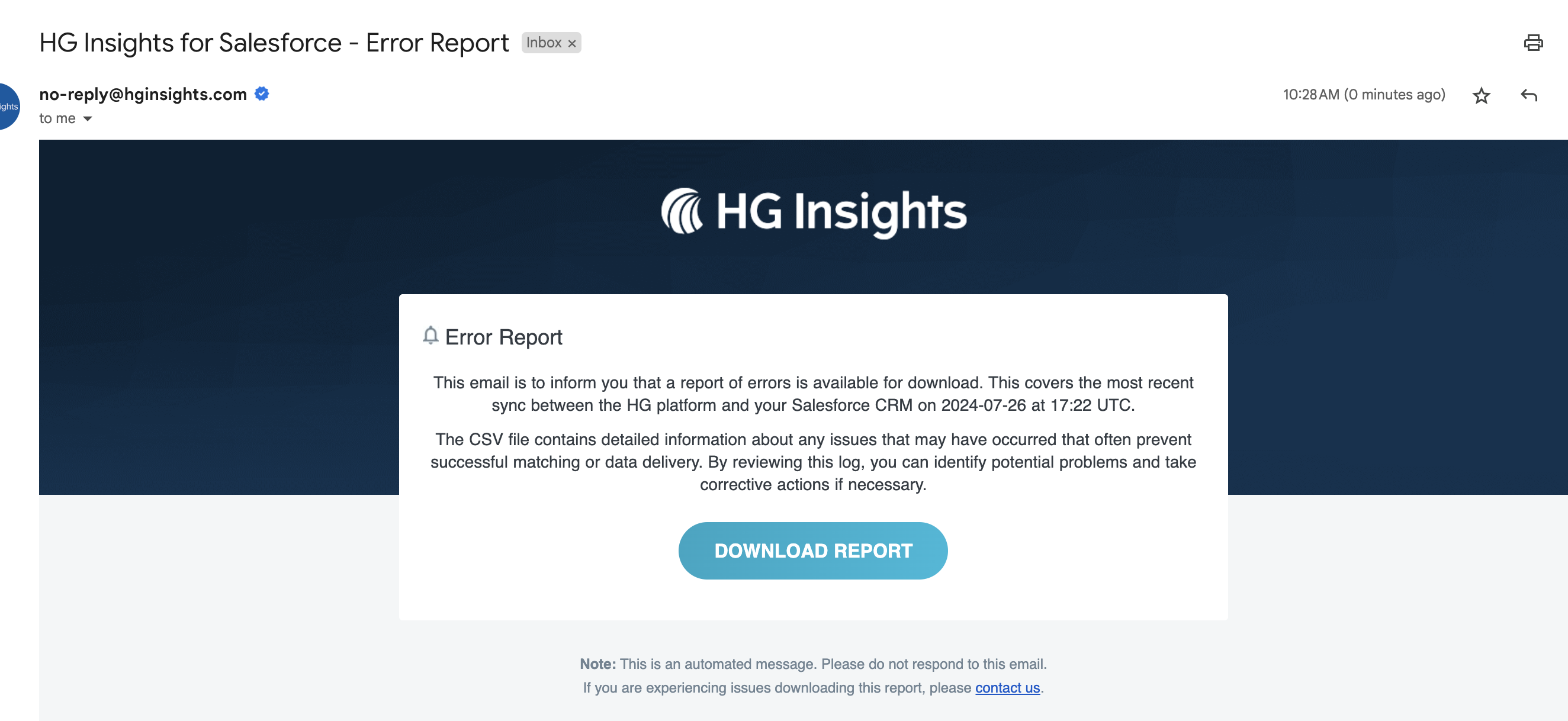
Errors happen. So to help you troubleshoot and resolve faster, we will now display Salesforce error logs for you in the Salesforce Connector dashboard. You'll be able to better understand variations in match rates and more quickly identify the root cause of the issue.
When an error occurs you'll be notified with a pop-up at the top of your Salesforce Connector dashboard, with the full report sent to your inbox.
In this report you'll find a description of the error, the number of times the error appeared since the last sync, and a sample of records (up to 10) where the error occurred.
Add IT Spend to Salesforce Scoring Profiles
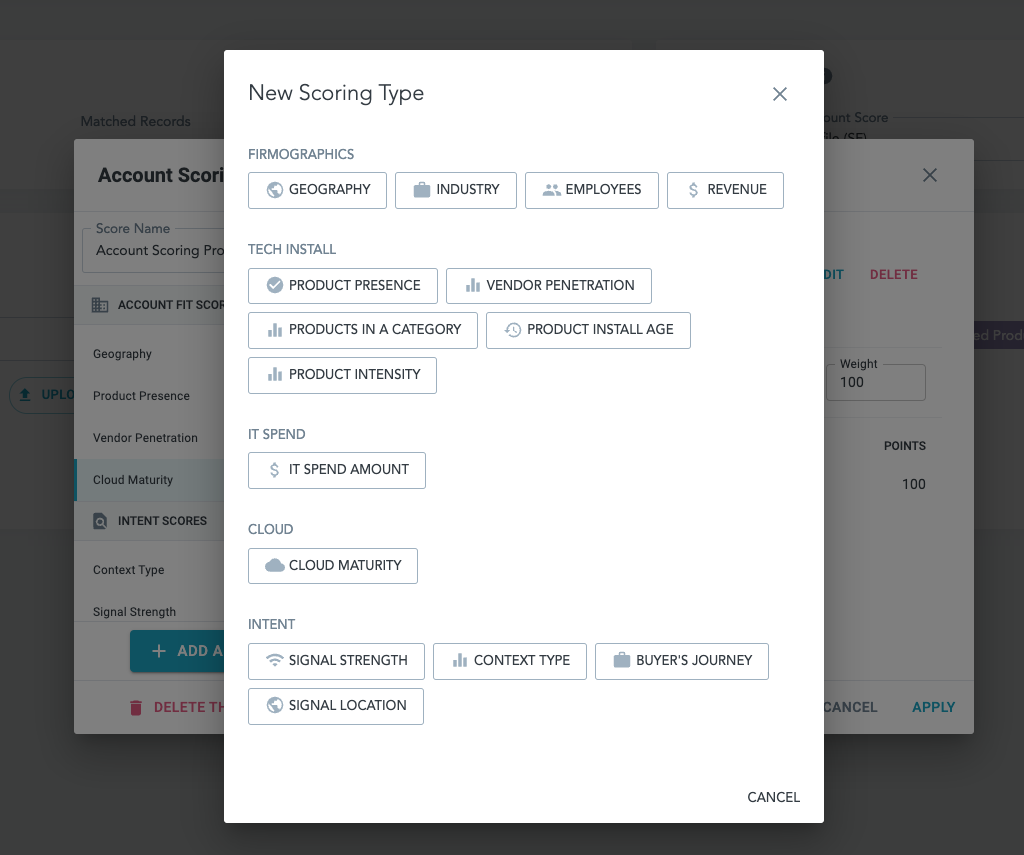
This just in: you can now add IT Spend to your scoring profiles for the Salesforce Connector. IT Spend helps you prioritize companies based on their capacity to spend on categories of technologies, adding another layer of refinement to your scoring model.
To add IT Spend to a new model, click the + ADD button under the Account Scoring panel in the Salesforce Connector dashboard, and choose IT SPEND AMOUNT from your scoring types. You can also add IT Spend to existing models by clicking the pencil icon next to that profile.
June 24, 2024
Updates to Salesforce Connector Dataset
We have updated the HG Salesforce Connector dataset to match your HG Platform dataset. Previously, the companies matched in your Salesforce were aligned with a different best-in-class dataset curated by our team; this unification unlocks new opportunities for expanding and deepening your understanding of your markets, including:
- Discrete company firmographics for Employee and Revenue values
- Requires package version 1.4 or higher.
- Firmographics will match what is surfaced in Platform; if discrete values are not known, they will continue to be displayed as a range in Salesforce.
- Better matching on country-specific domains
- The ability to match companies at the country-level (turned off by default)
- This can be configured by Billing Country or Shipping Country on Accounts, and will reference Country on Leads
- The ability to configure localized installs for technographic data (turned off by default)
- Parity of HG IDs, company and Data between the Salesforce Connector and Platform
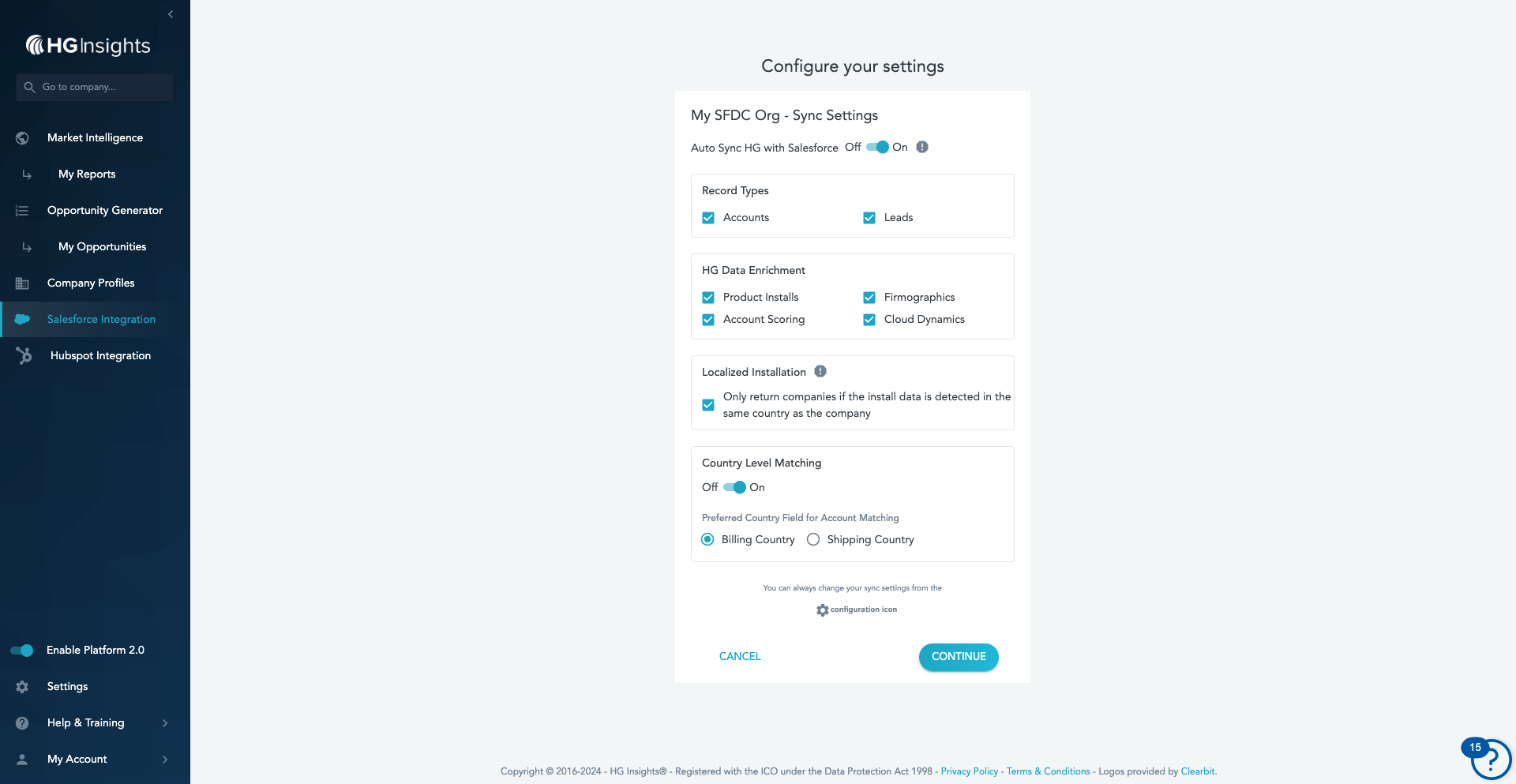
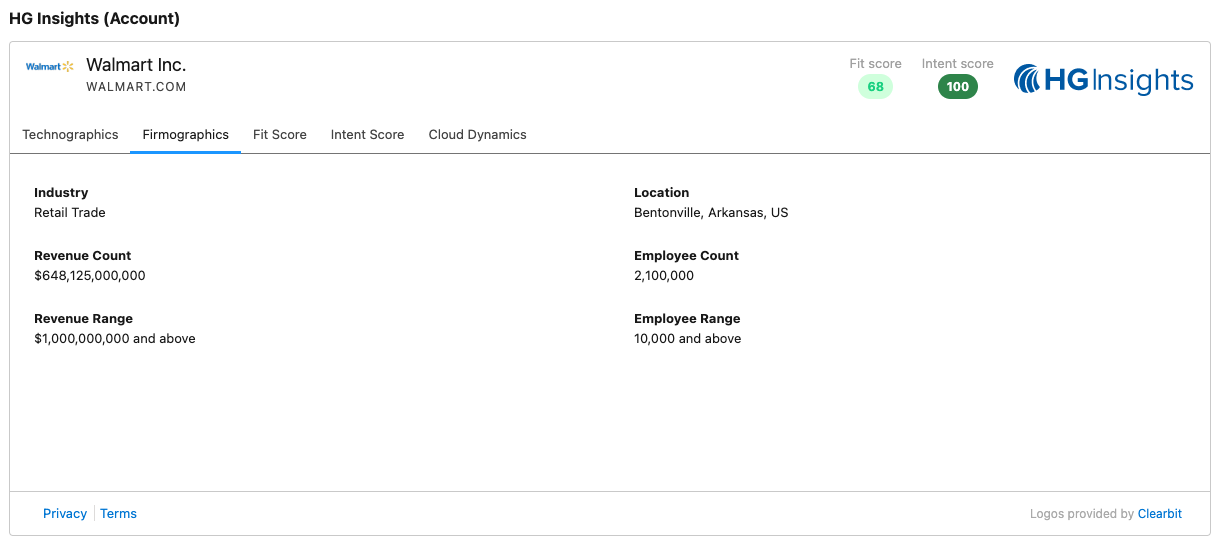
This transition involves rematching to the companies in your Salesforce, starting Monday, June 24th, 2024, and is expected to be completed by Monday, June 30th, 2024. During this period you may notice changes to the company data and scoring in your Salesforce Visualforce table. You won’t need to update your managed package or install anything new though, as always, we do recommend upgrading to the most current package to access the latest features.
Questions? Please contact your CSM.
December 7, 2023
Streamlined Dashboard ✅
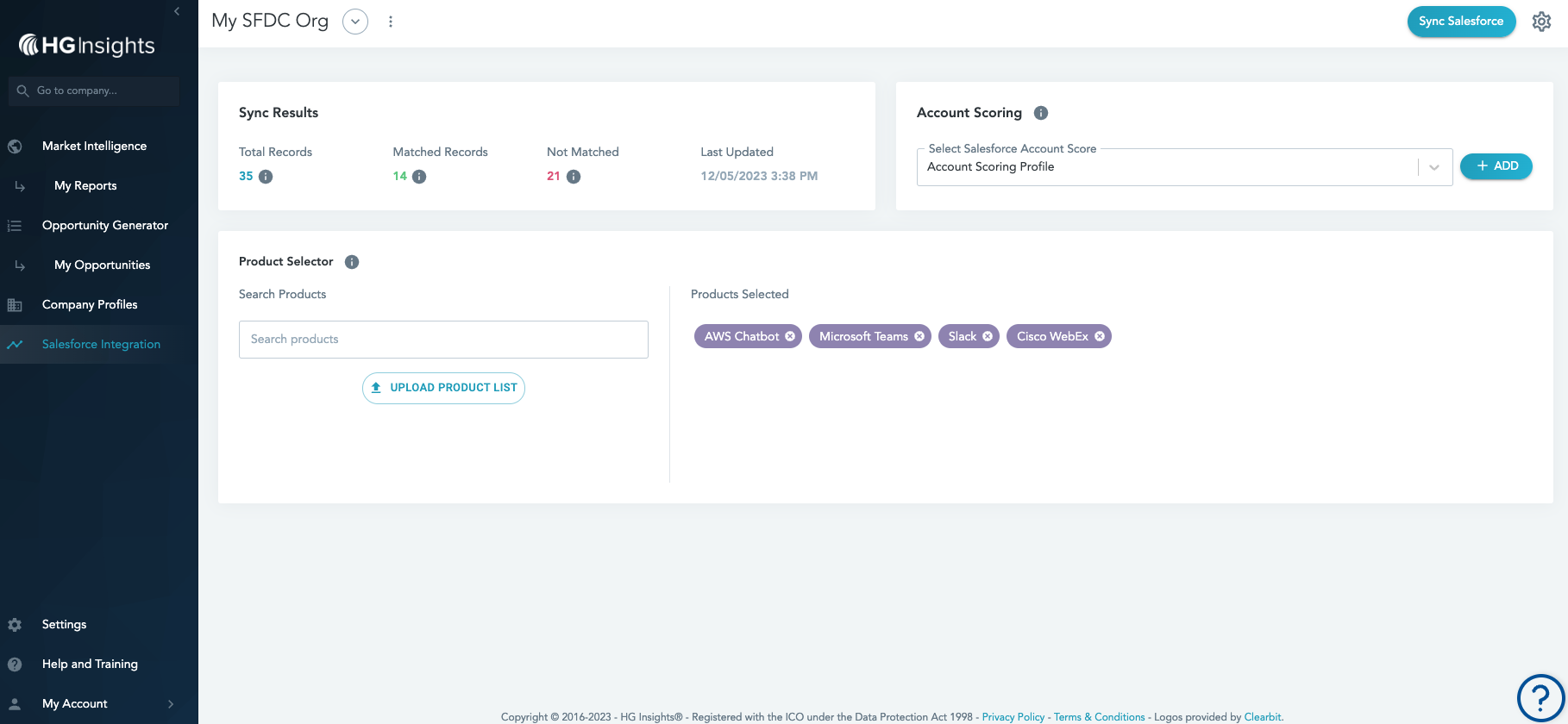
We're always working on improvements to the user experience of the Salesforce Connector integration. In this latest update, we've streamlined the dashboard by removing the Salesforce Integration Lists section.
Because this information is represented elsewhere in the dashboard, and you can get much more valuable reporting in Salesforce, we're hiding this area to make it even easier to get the important insights you need.
For more information on viewing HG match results, check out this article here.
Questions? Reach out to your Customer Success Manager!
October 11, 2023
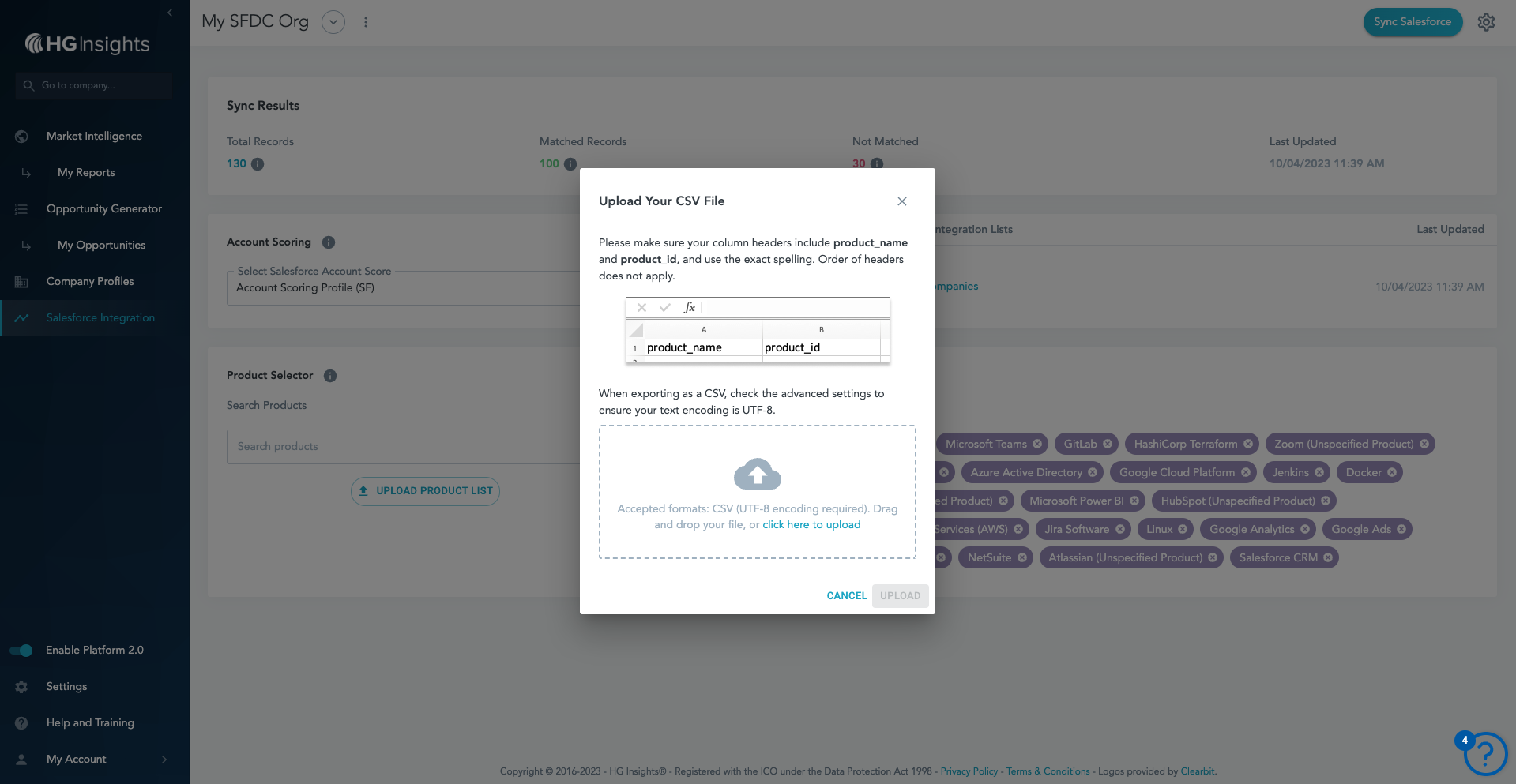
Bulk Product Selection via CSV for the Salesforce Connector!
Within our Salesforce integration you can select a large number of products, which offers an incredible amount of insight. But manually selecting even 20 products can be a time-consuming task.
Now, you can now quickly and simply upload a bulk CSV file by clicking "Upload Product List" in the Product Selector container. Your CSV upload should include the Product Name and Product ID from our catalogue.
Successful uploads will appear in your Salesforce product selector, and you'll be notified of any errors with an email. If using an external product list, you can simply include the Product ID in your upload to avoid discrepancies with Product Names.
Questions? Reach out to your Customer Success Manager!